
Audit Overview
Your store's untapped revenue potential — and how to unlock it
Why We Created This Audit
We analyzed aula-official.com the same way we've audited 350+ e-commerce stores — looking for the specific gaps between your current experience and what top-performing Electronics — Gaming Peripherals stores deliver. Every finding in this report is a revenue opportunity backed by industry data and competitive benchmarks.
What We Analyzed
- UX & Conversion Design17 findings
- Technology & App StackPlatform + 3 apps
- Industry BenchmarksElectronics — Gaming Peripherals
Pages Analyzed
- Homepage5 findings
- Collection Pages2 findings
- Product Pages (PDP)7 findings
- Cart & Checkout3 findings
 This audit was prepared by Growisto — a CRO-led Website development team behind 167% conversion growth for Atomberg, 46% CR lift for TyresNmore, and 350+ e-commerce projects.
UX & Conversion Findings
Page-by-page analysis with visual comparisons against top Electronics — Gaming Peripherals stores
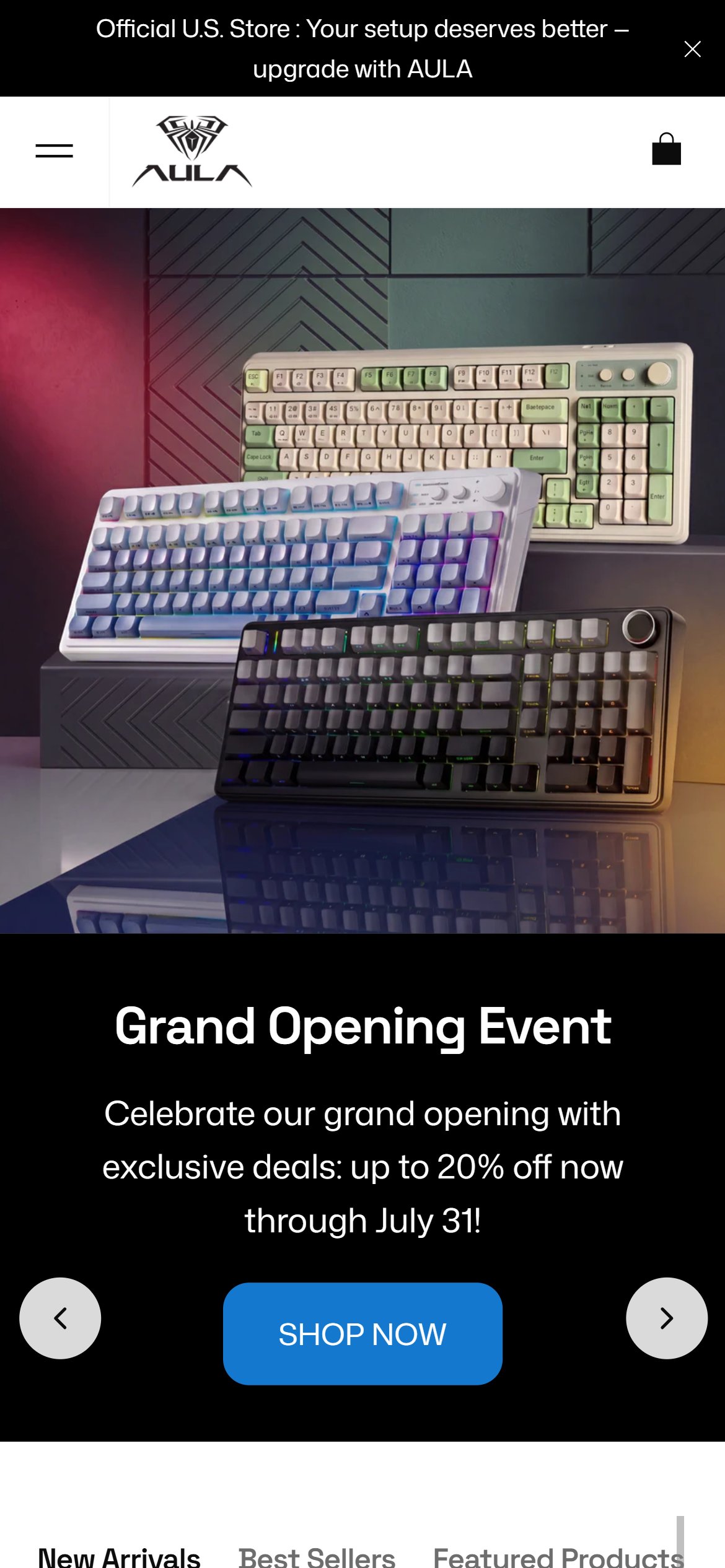
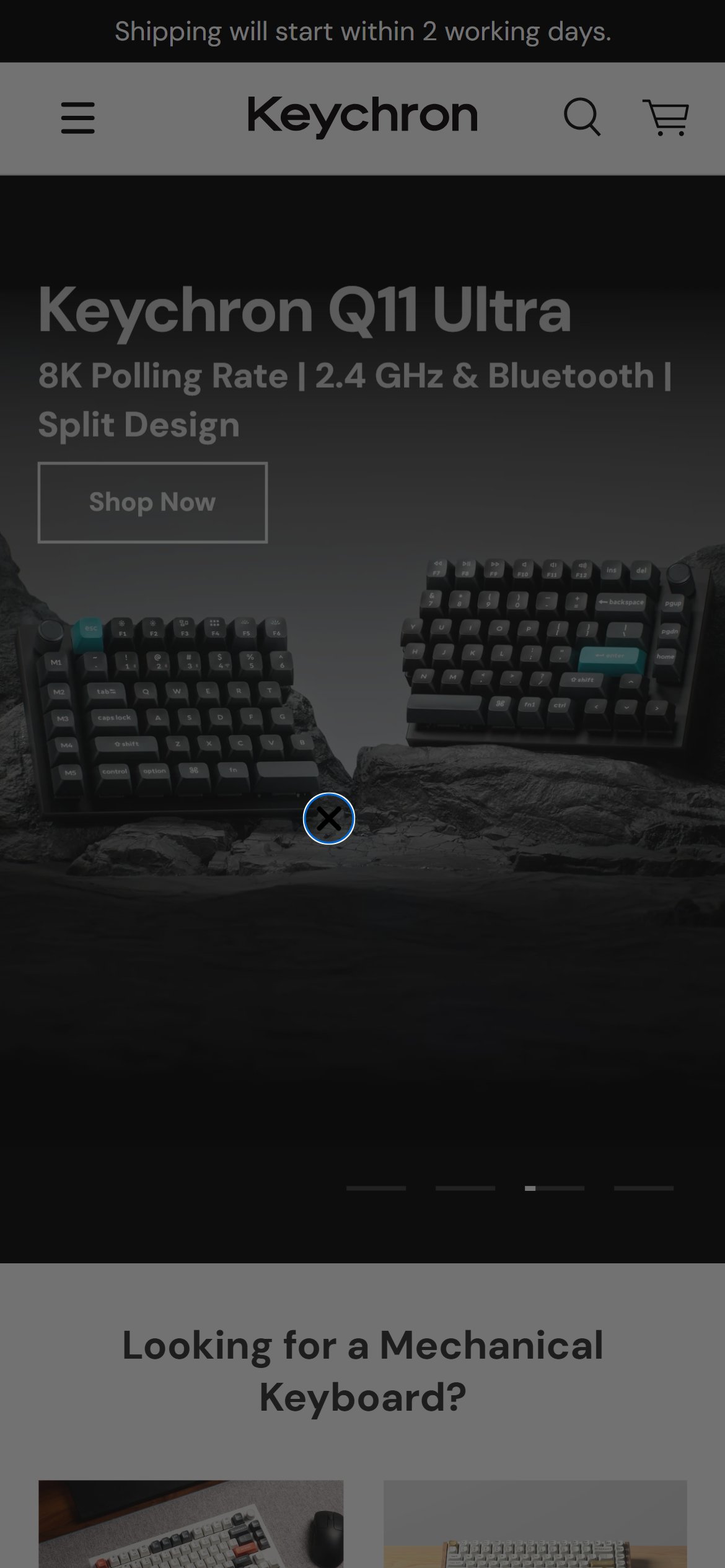
- The mobile header shows only a hamburger menu and cart icon — no search icon or input field is visible in the top navigation bar.
- A search icon does exist on the page but renders 856px below the viewport fold — effectively invisible and inaccessible to mobile visitors without significant scrolling.
- AULA's catalog spans magnetic switch, mechanical, and membrane keyboards across multiple layout sizes and colorways — making keyword search critical for buyers with a specific model in mind.
- Without in-header search, a buyer looking for the 'F75 Max' or a specific switch type must scroll through paginated collection pages to find the right product.
- Add a search icon button to the sticky mobile header bar — tapping it should open a full-screen search overlay with 'Search anything' placeholder text.
- Enable predictive/typeahead results so that typing a model name (e.g., 'F99') surfaces matching products before the user presses Enter.
- Ensure the search icon is positioned in the header alongside the cart icon so it is reachable with one thumb on any scroll position.
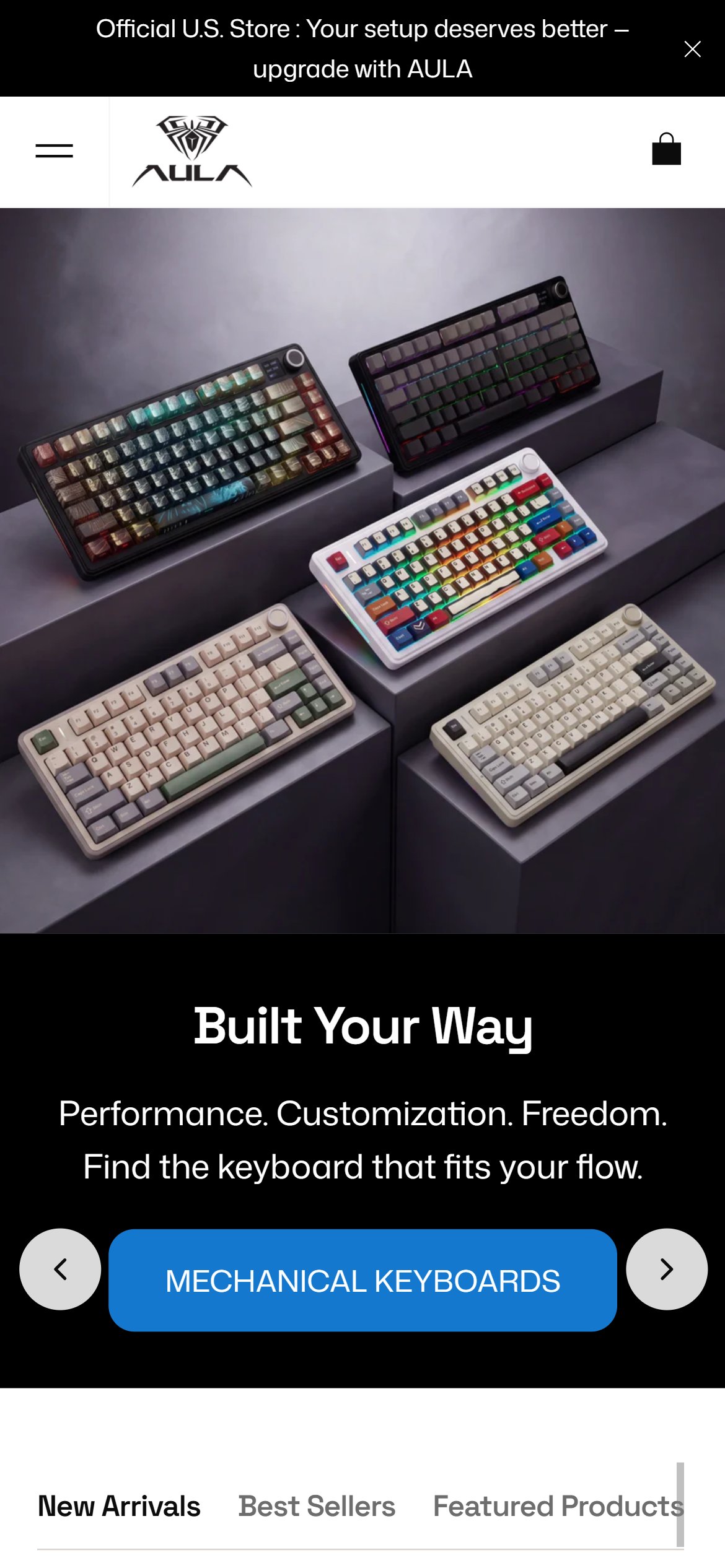
- The homepage contains no iconographic trust badges or USP indicators in the first two scrolls — only the announcement bar text 'Official U.S. Store' and product hero images.
- Trust cues (Free Shipping, Return Policy, Secure Payment) do exist on the site but are buried in individual PDP pages and the footer — never surfaced on the homepage where first impressions are formed.
- US gaming peripheral buyers evaluating a brand for the first time look for credibility signals before engaging with the product catalog — the absence of these signals creates a friction point at the top of the funnel.
- Competitor brands in the gaming keyboard space prominently feature warranty assurance, return window, and shipping speed icons to differentiate and build confidence with hesitant shoppers.
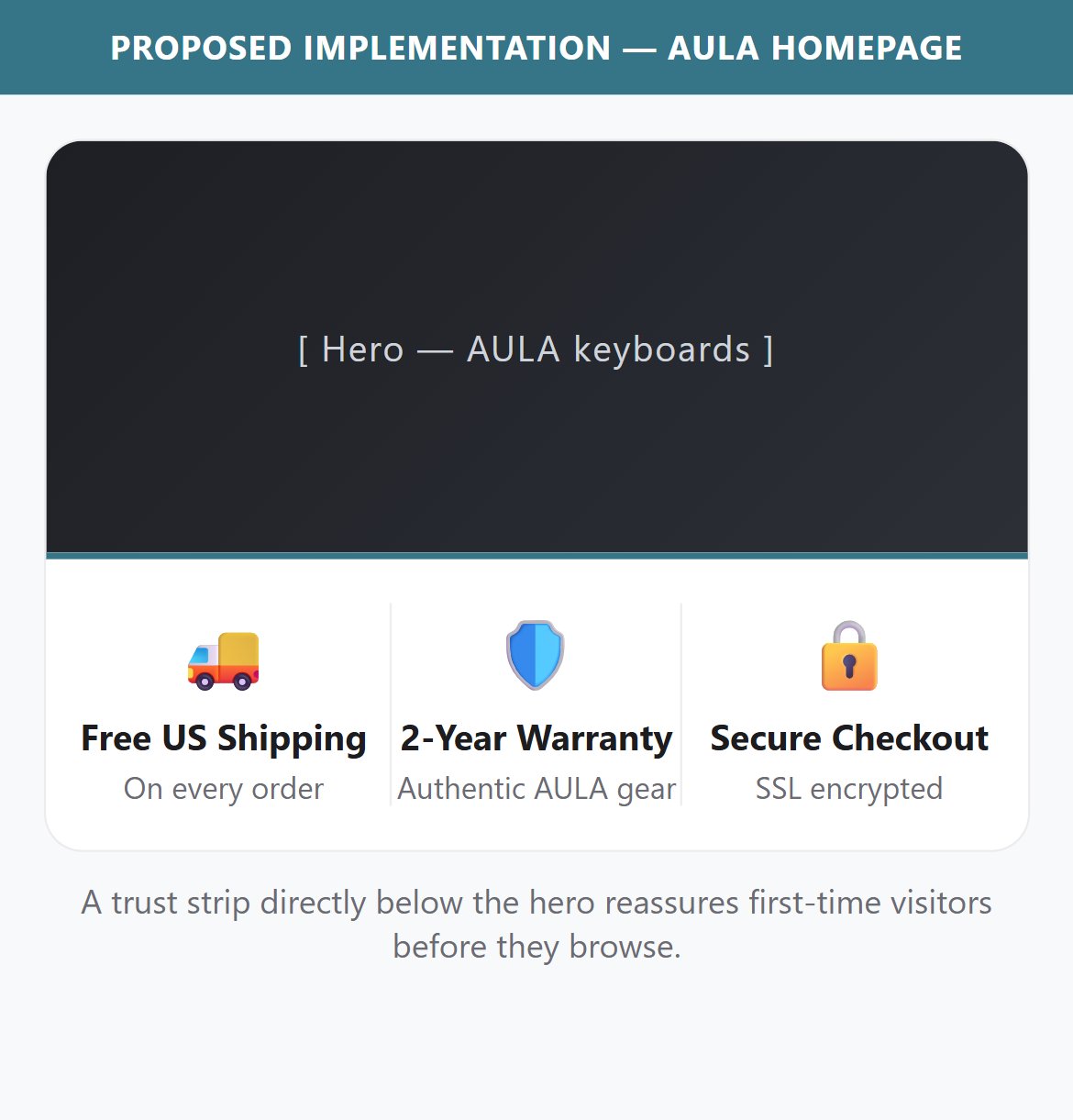
- Add a horizontal icon strip below the hero section with at least 3 trust signals: 'Free US Shipping', '15-Day Returns', and 'Secure Checkout' — use simple SVG icons alongside short benefit text.
- Elevate the existing trust information (Free Shipping, 15 Day Return Policy, Secure Payment) that already exists on individual PDPs to the homepage level.
- Optionally pair the trust strip with a brief social-proof line (e.g. a customer-rating callout) once review volume builds, to reinforce credibility alongside the structural trust icons.
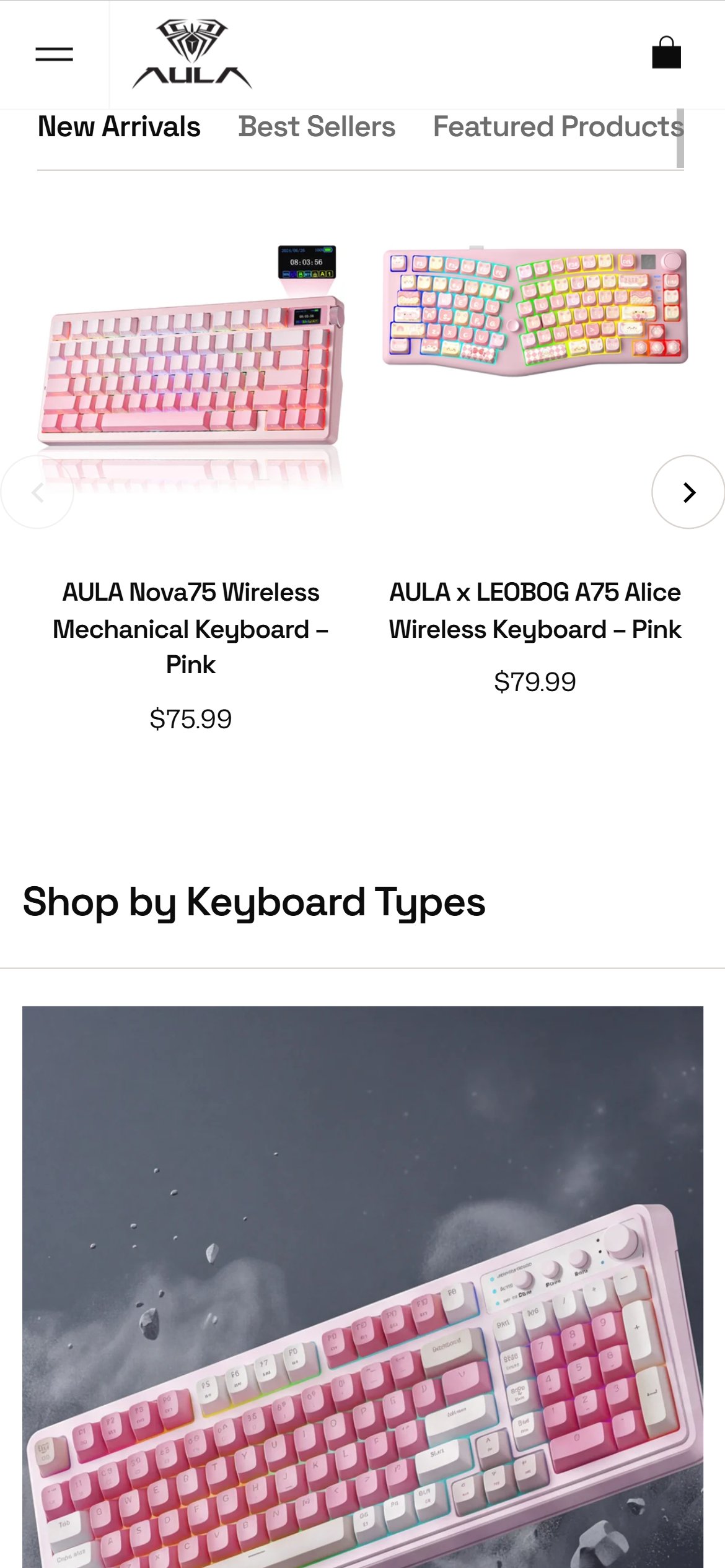
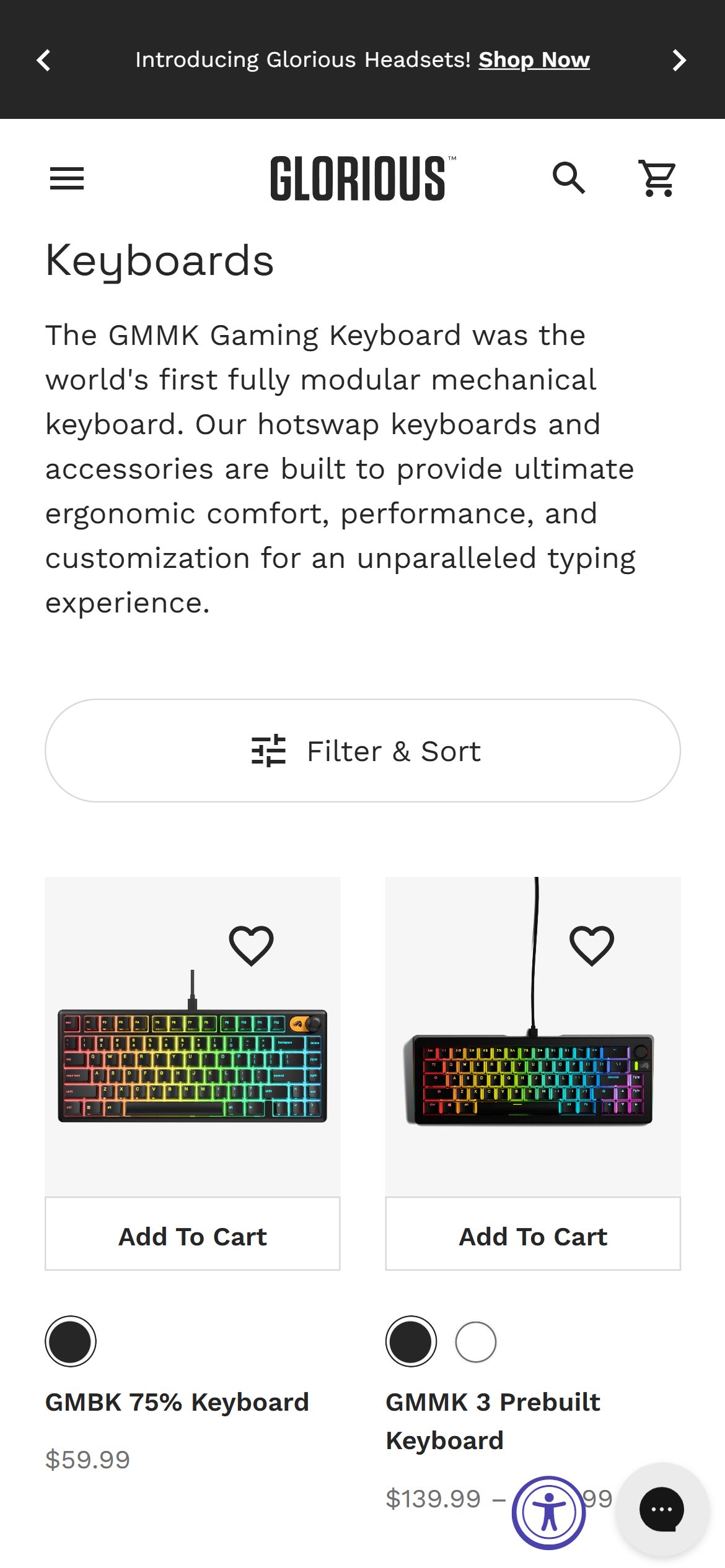
- The homepage product showcases — the New Arrivals / Best Sellers / Featured Products carousels AND the AULA Keyboard Series section — display keyboard tiles with title and price, but the only action available is a Quick View popup. There is no direct Add to Cart button on any tile.
- Quick View popups require an additional tap to open and another to add — creating 2 extra interactions before the cart is updated compared to a direct add button.
- For shoppers who recognize an AULA model from social media or YouTube and land on the homepage to buy, the inability to add directly from a tile adds unnecessary friction.
- The product tiles already render the correct variant and pricing information — a direct ATC action is technically straightforward to add with existing theme infrastructure.
- Add an 'Add to Cart' button that appears on product tile hover/tap (or is persistently visible) on the homepage carousels — clicking it should trigger the cart drawer without leaving the homepage.
- For keyboards with multiple variants (color, switch type), the quick-add button can open the Quick View modal pre-loaded with the variant selector, then allow direct checkout from there.
- Prioritize the Best Sellers section for this improvement as it surfaces the most purchase-intent products first.
- Apply the same quick-add to the AULA Keyboard Series showcase so shoppers browsing a series (S99, F75, F99 Pro, HE68) can add a keyboard without first opening its PDP.
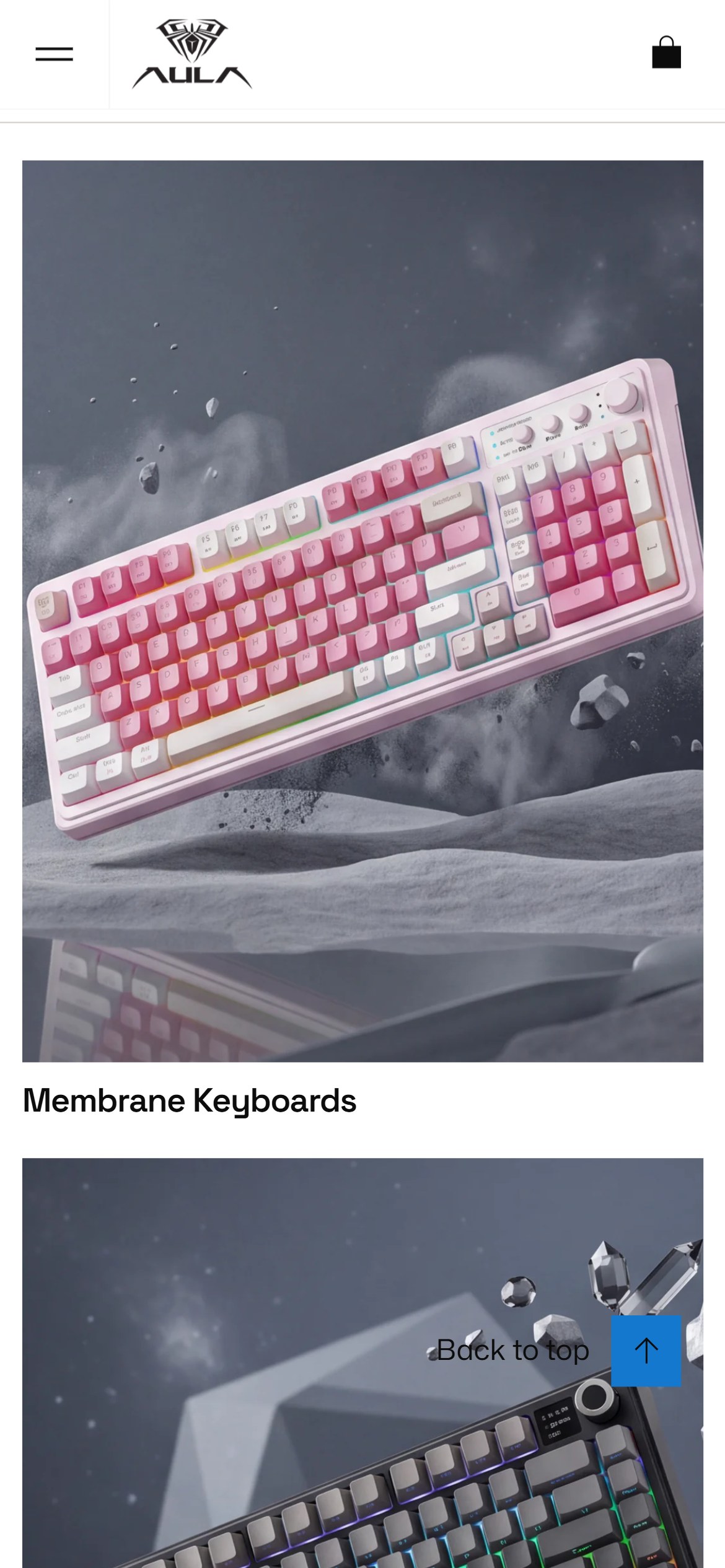
- Each keyboard-type category tile in the Shop by Keyboard Type section fills nearly the entire mobile viewport, so only one category is visible at a time.
- Shoppers must scroll through several full-height tiles to discover the range of categories (Membrane, Mechanical, Magnetic Switch and the keyboard series), which buries the breadth of the catalog.
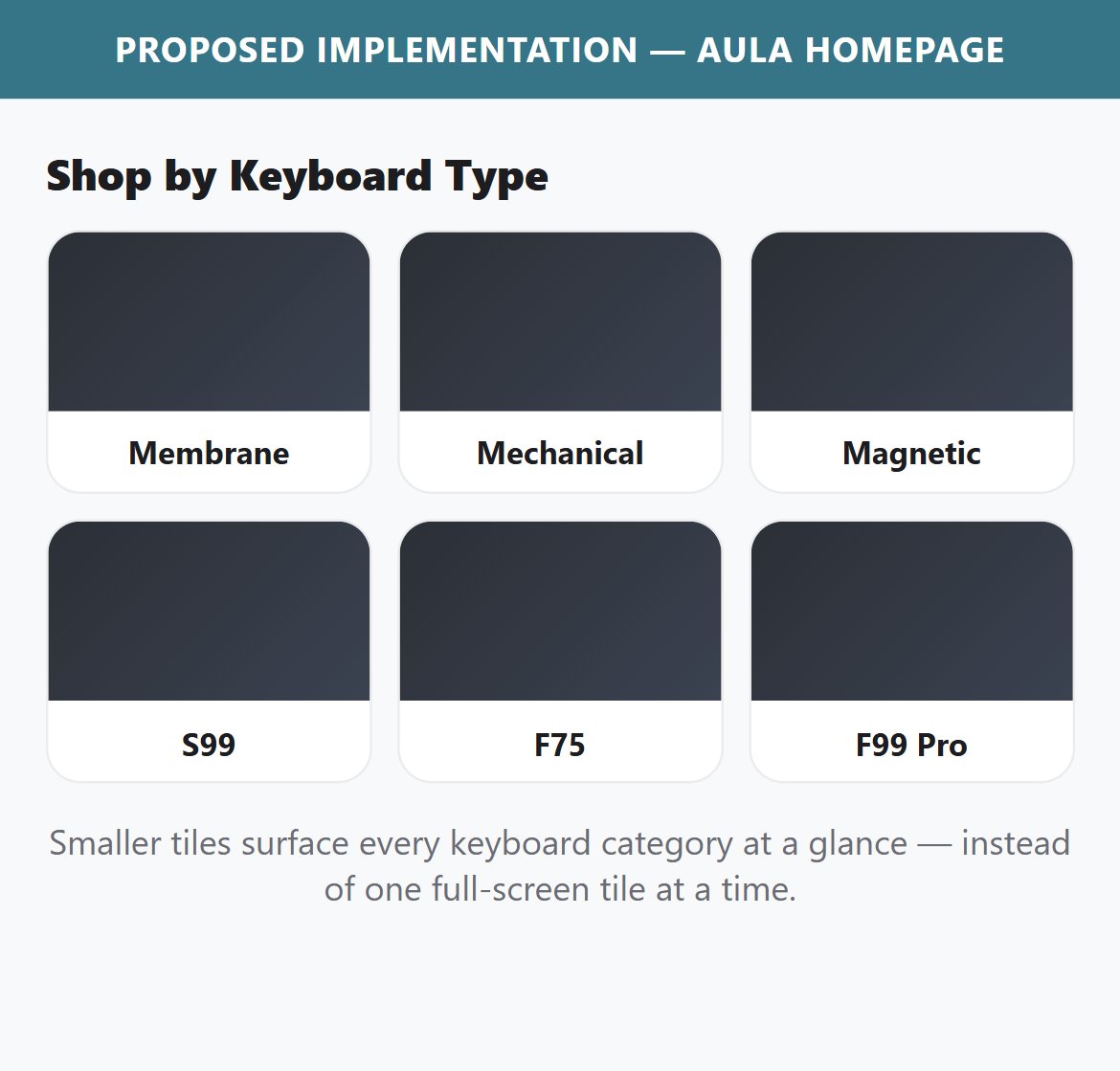
- A more compact tile grid lets the full set of categories register in a single glance, helping shoppers self-select a path faster.
- Reduce the category tile height and place them in a 2- or 3-column grid so multiple categories appear within one viewport.
- Keep a clear label on each tile; the imagery can shrink without losing recognizability.
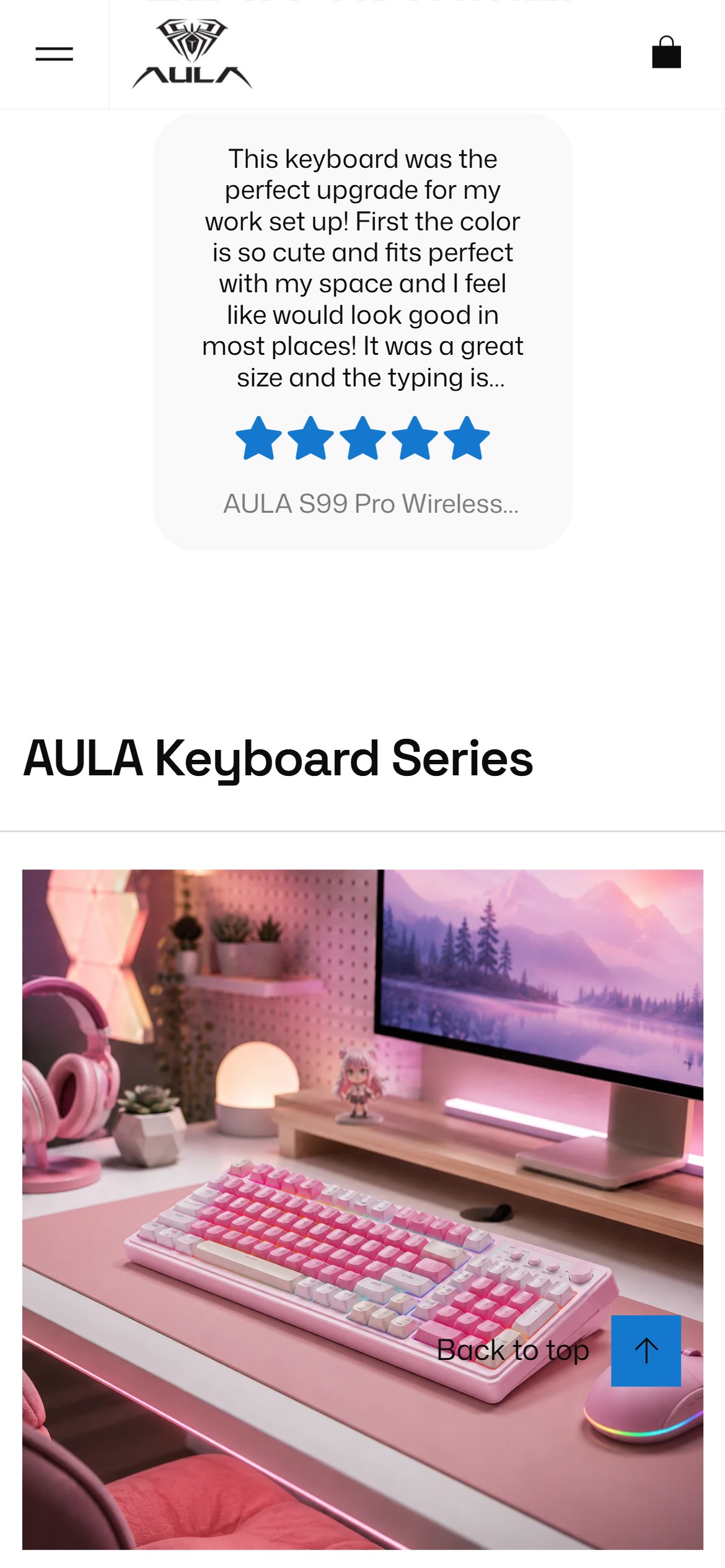
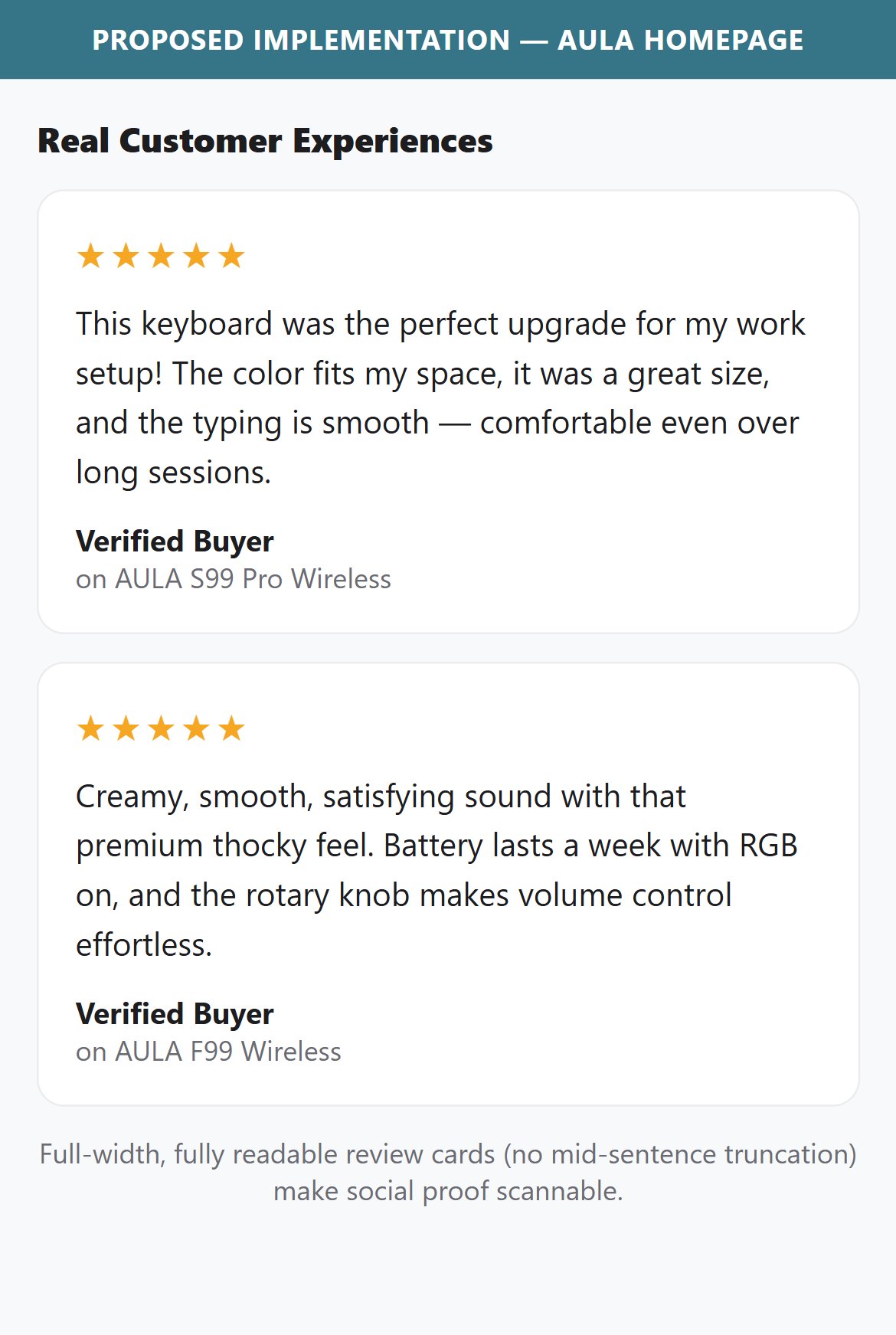
- The Real Customer Experiences section shows the review text in a compact card that truncates the quote mid-sentence (e.g. '…can be a hassle to type for long period…'), so the testimonial cannot be read in full.
- Cut-off social proof undermines its purpose — shoppers cannot absorb the reassurance the review is meant to provide.
- AULA is actively collecting strong, detailed reviews; the layout simply is not giving them room to land.
- Give testimonial cards enough height to show the full review (or a clean Read more expansion) so the quote is readable without truncation.
- Increase text size/contrast and spacing so the review, rating, and product name are comfortable to read on mobile.
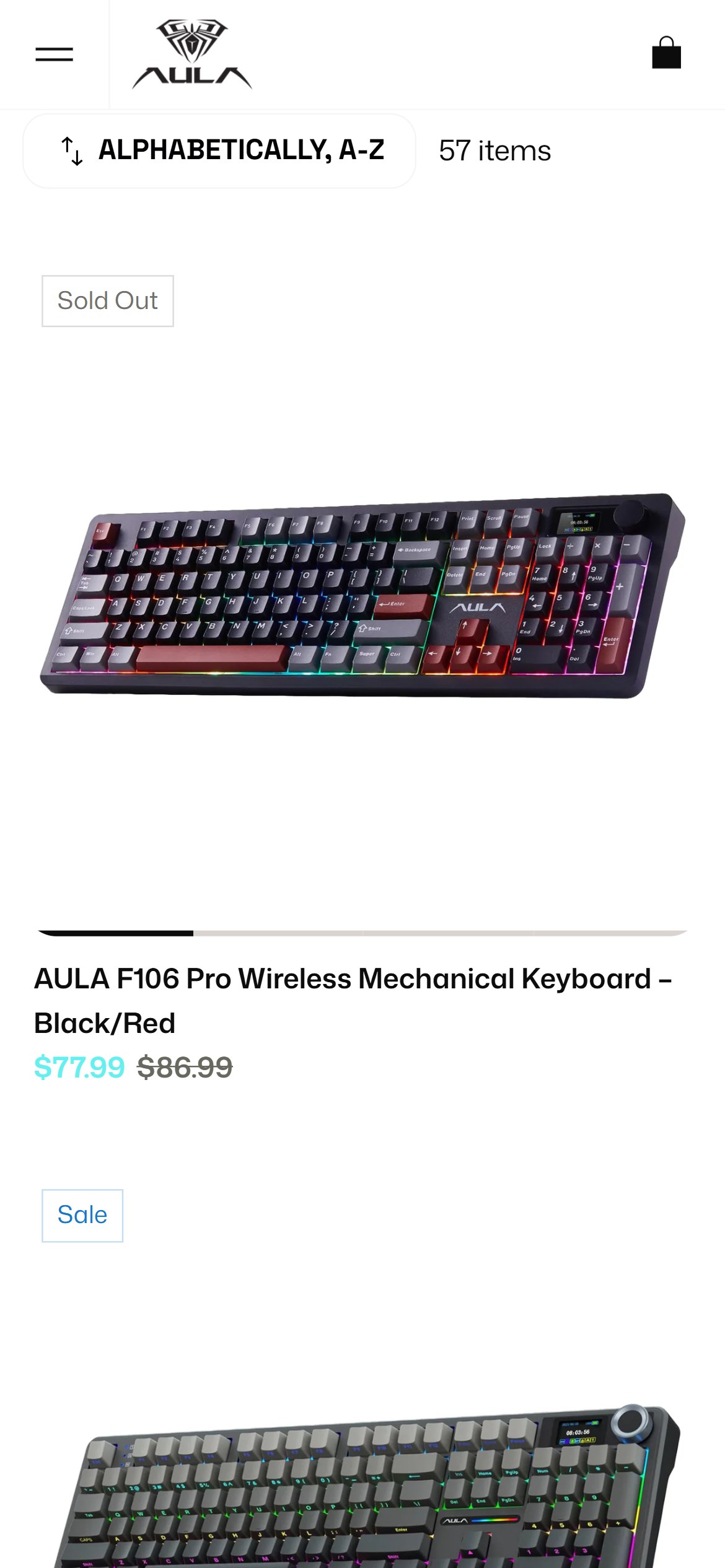
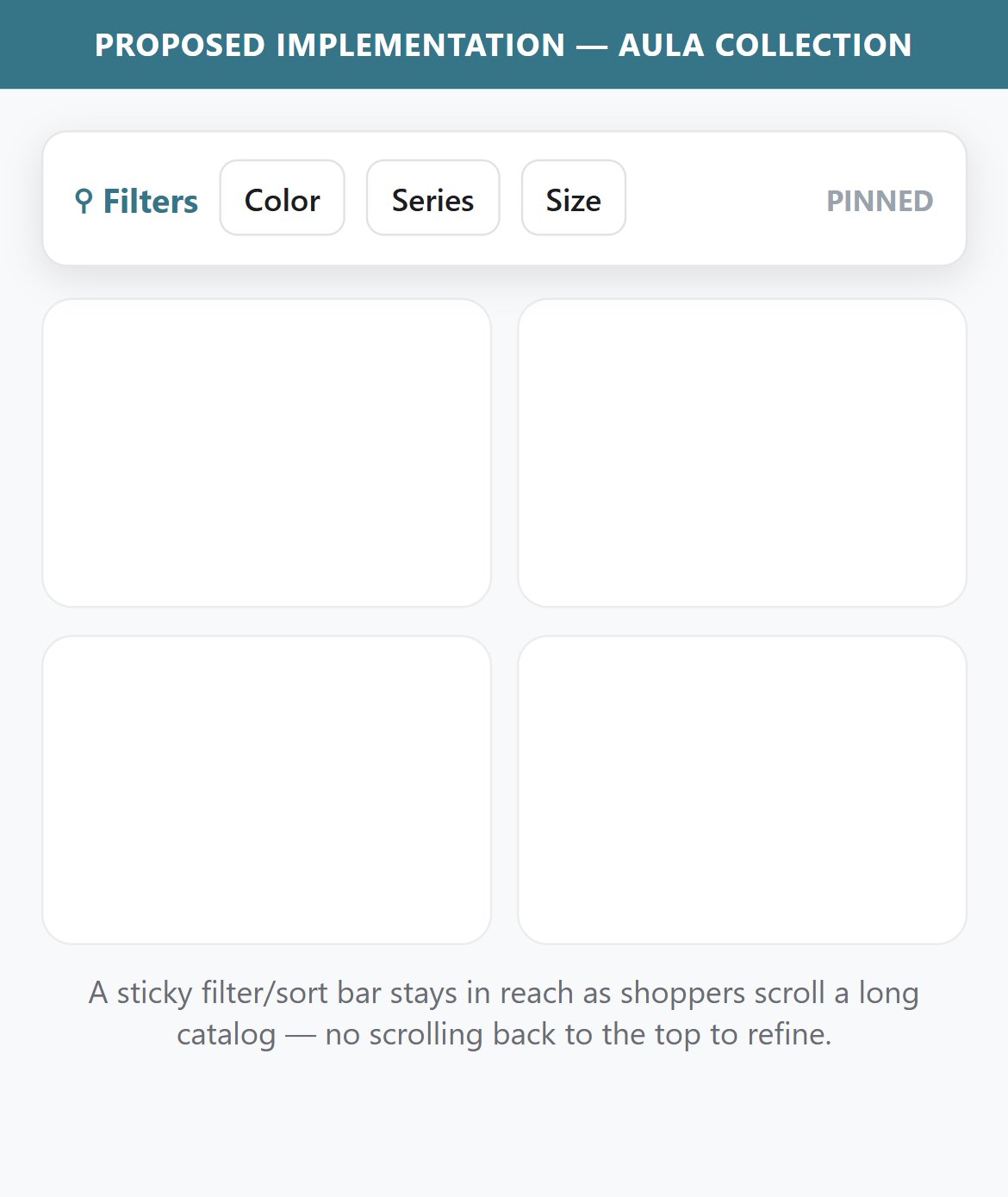
- The collection page has a Color / Series / Layout Size filter bar plus an alphabetical sort and a 57-item catalog, but the filter bar scrolls away with the page — it is not pinned to the viewport.
- On mobile, once a shopper scrolls a few rows into the grid, refining or re-sorting means scrolling all the way back to the top — added friction on a catalog this size.
- A sticky filter/sort bar keeps refinement controls within thumb reach throughout the scroll, which is increasingly standard on multi-SKU electronics catalogs.
- Pin the filter and sort bar to the top of the viewport (sticky) so it stays visible as the grid scrolls.
- Keep it compact on mobile — a single row of filter chips plus the sort control — so it does not crowd the product grid.
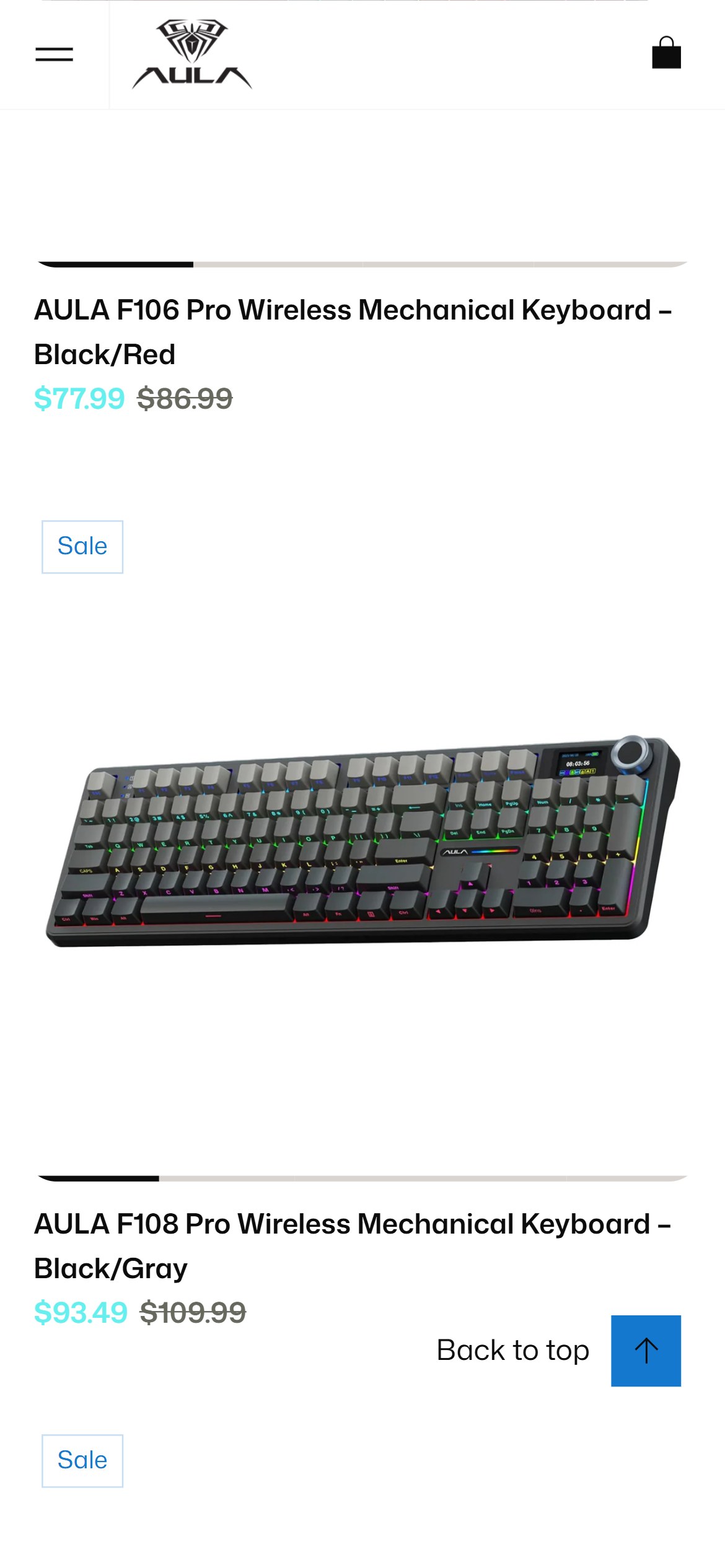
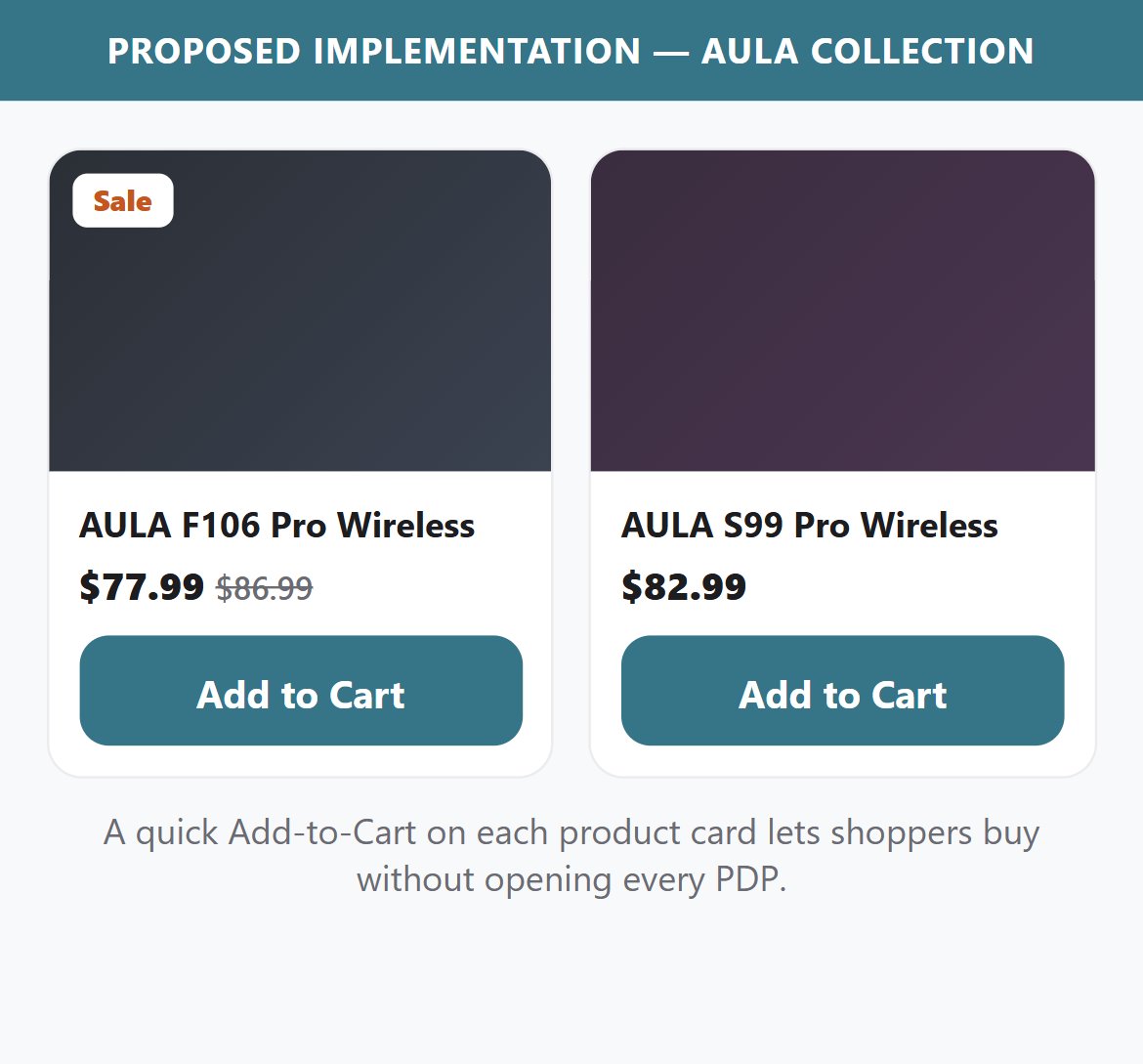
- Collection product cards show the product image, title, and price (with a Sale strikethrough) — but no Add to Cart button. The only path to purchase is to open each product page individually.
- On a 57-product catalog, forcing a PDP visit for every add slows shoppers who already know the model they want from social or YouTube.
- The cards already render the correct price and sale state, so a quick-add control fits the existing card layout.
- Add an Add to Cart button to each collection card that triggers the cart drawer without leaving the grid.
- For multi-variant keyboards, open a compact variant picker (color / switch / layout) inline before adding.
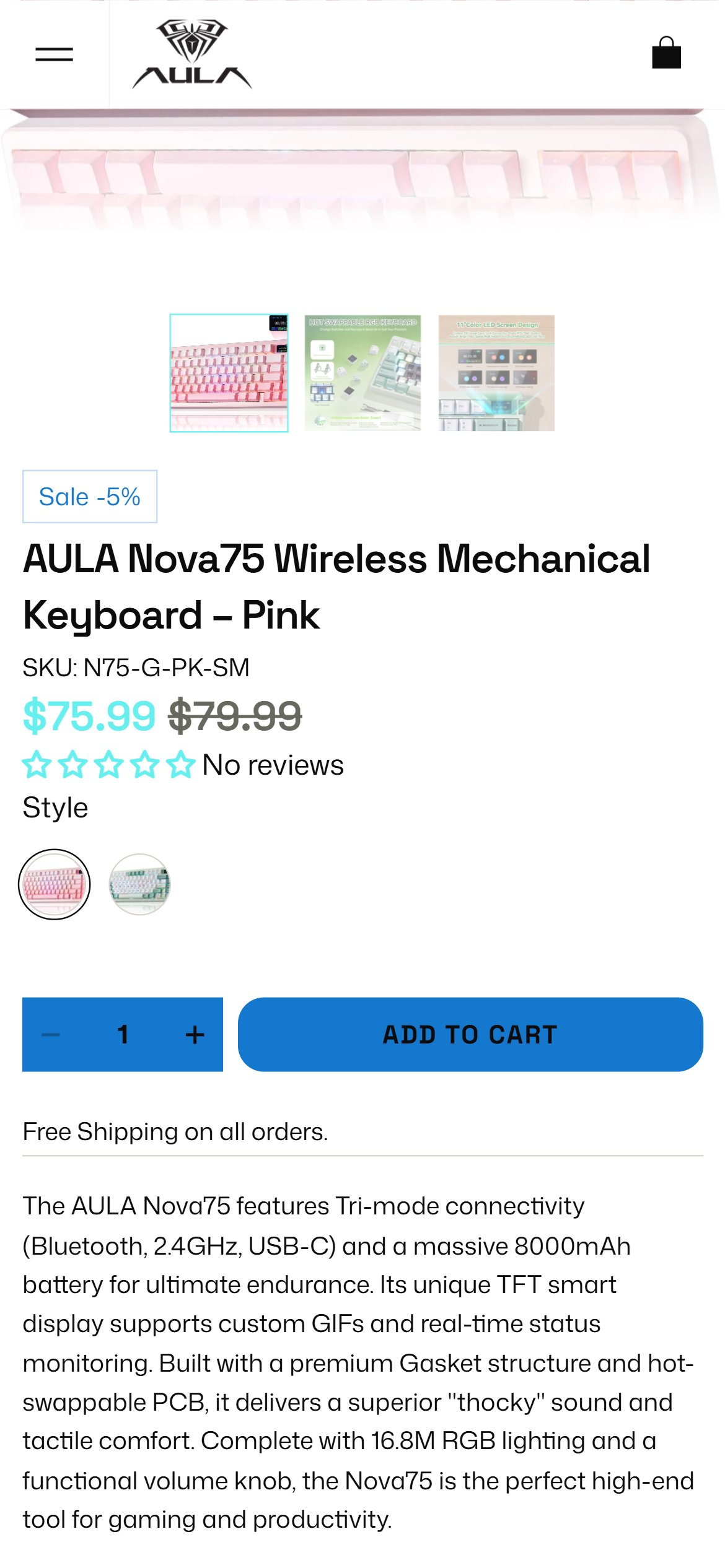
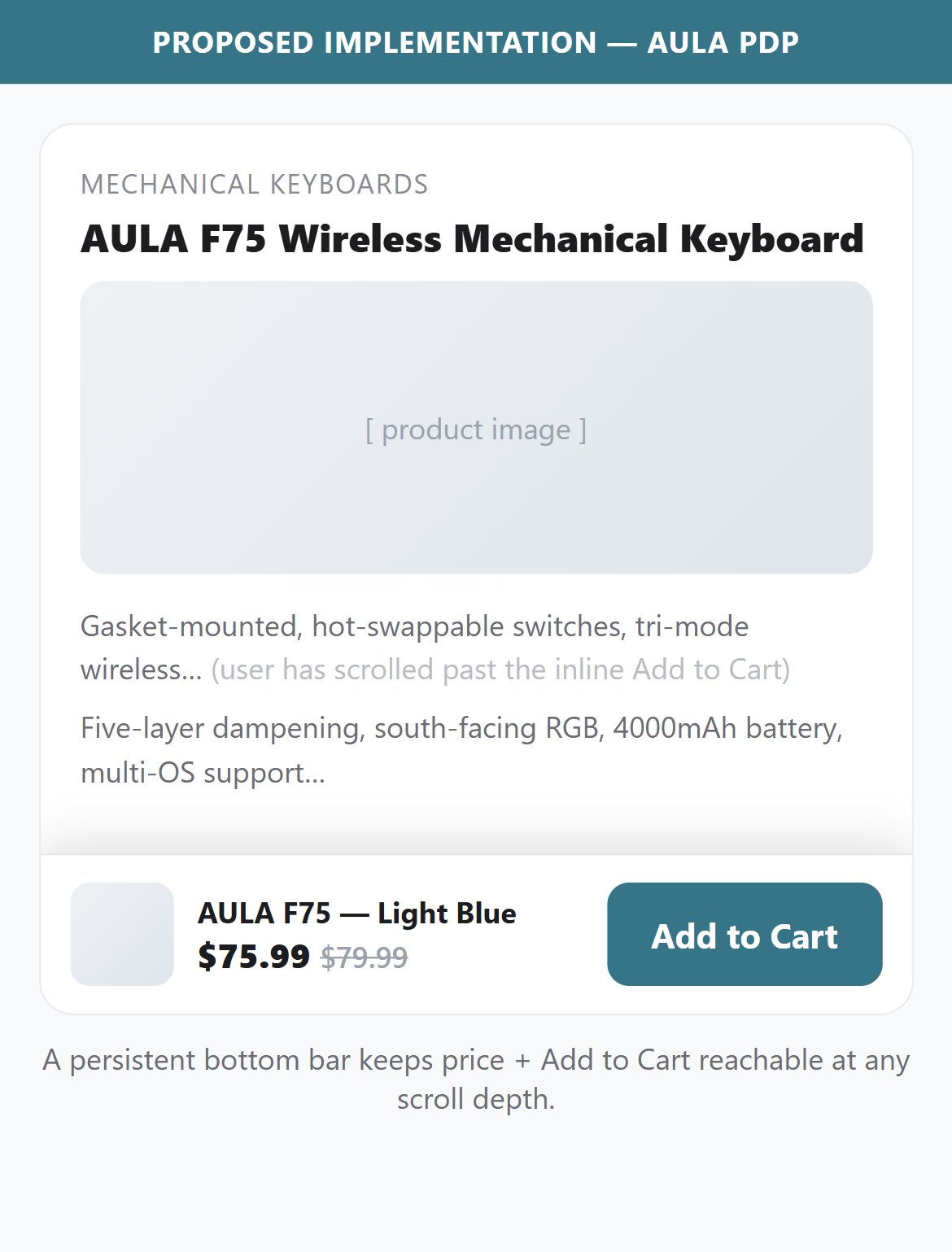
- On mobile, the Add to Cart button sits high on the page — once the user scrolls down into descriptions, the Features/Dimensions accordions, or the reviews, the ATC button disappears and there is no fixed replacement.
- AULA PDPs are content-rich: description, Features accordion, Dimensions accordion, a customer-review carousel, and related products — users routinely scroll well past the ATC zone while evaluating a purchase.
- No sticky bottom bar (fixed-position ATC) appears at any scroll depth — confirmed by checking all fixed-position elements after scrolling past the inline button.
- The only elements fixed to the viewport on scroll are a 'Back to top' button and the cart toggle — neither lets the shopper add the product to cart.
- Implement a sticky bottom bar that appears when the inline ATC button scrolls off the screen — the bar should show the product name (truncated), selected variant, price, and an 'Add to Cart' button.
- The sticky bar should hide when the user scrolls back to the inline ATC button to avoid duplicating CTAs.
- Ensure the sticky bar respects variant selection state — if a user has selected a color or style, the sticky bar ATC should add that specific variant.
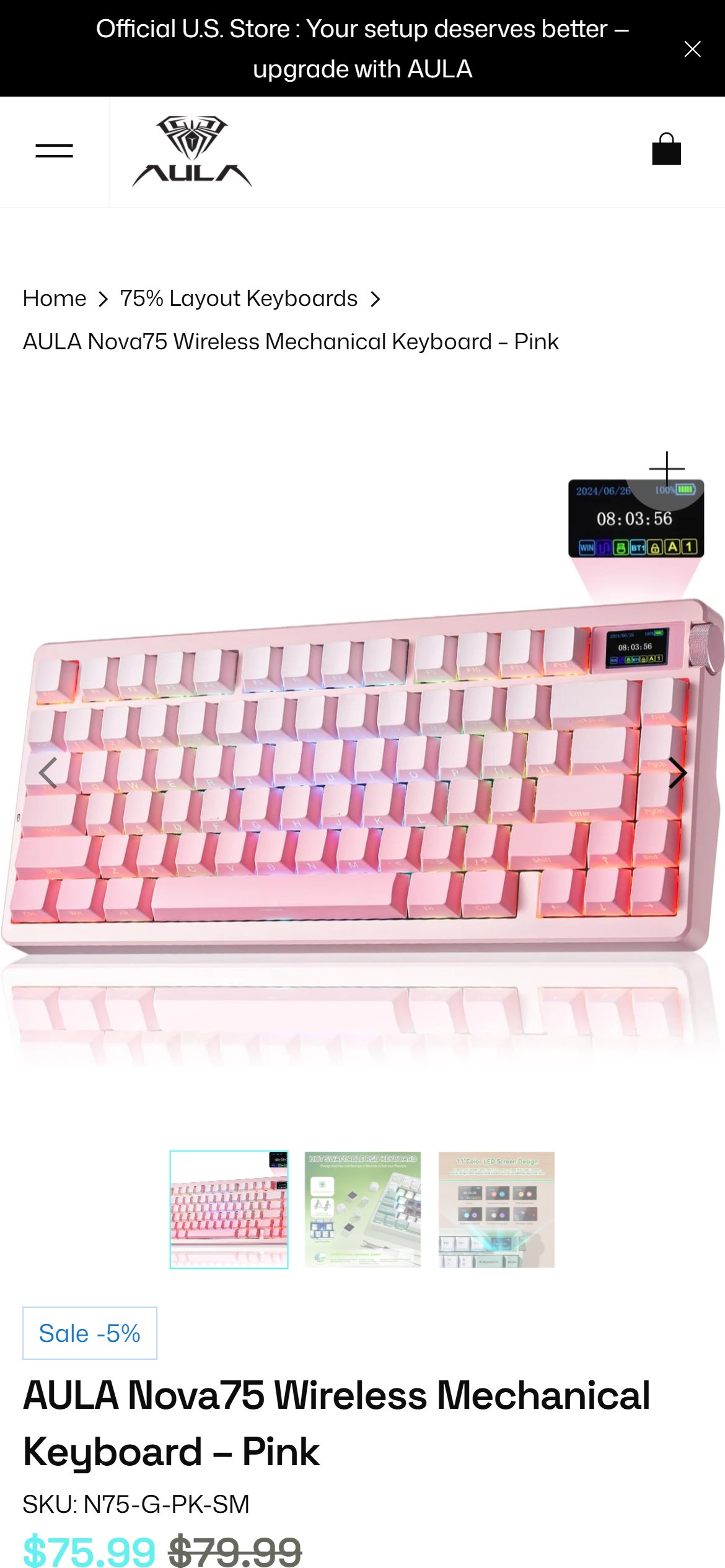
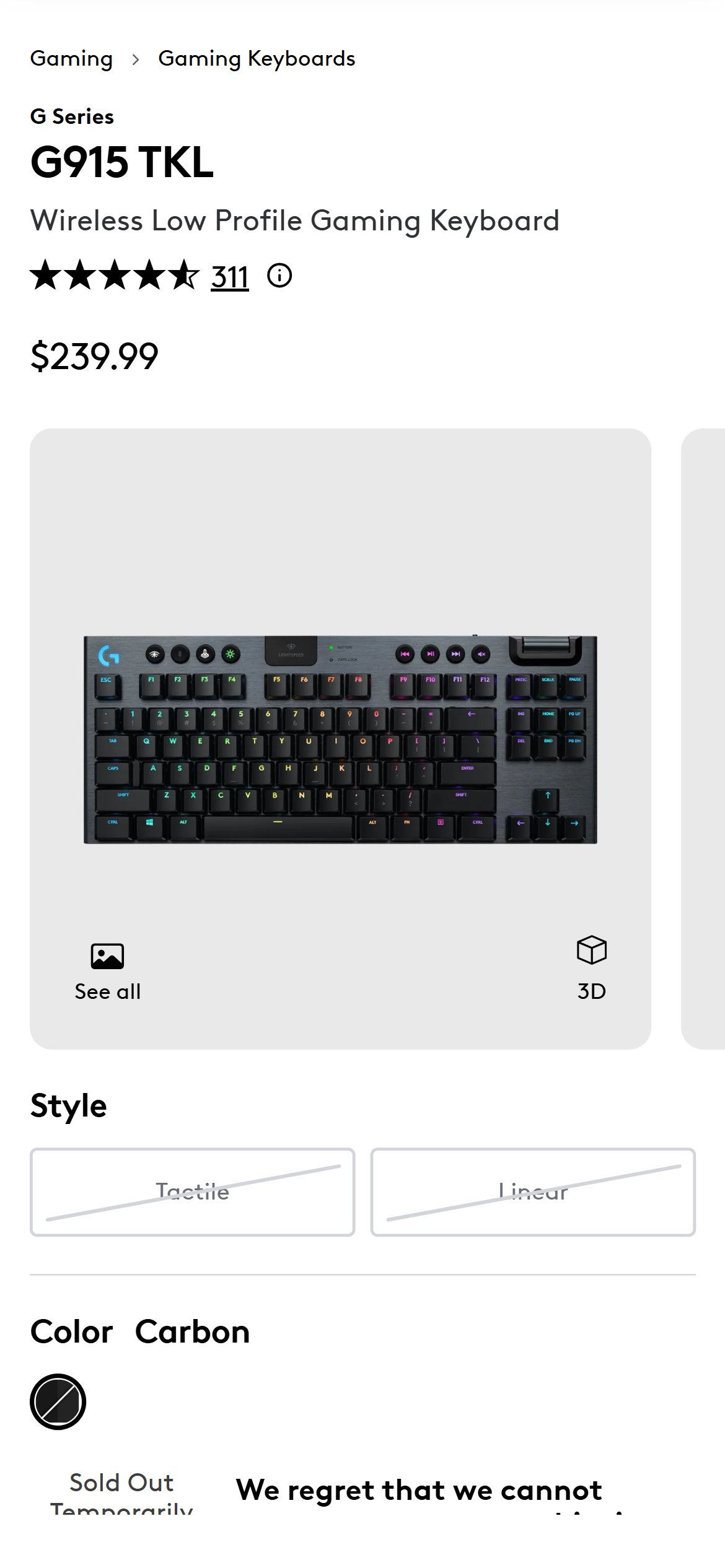
- The Judge.me rating badge directly below the product title renders '0.00 stars' and 'No reviews' for this keyboard — so the first social-proof cue a buyer sees at the decision point is an empty, zero-review state.
- AULA is clearly collecting reviews (the homepage runs a prominent 'Real Customer Experiences' section), yet those positive reviews are not surfacing as a per-product rating on the PDP — leaving the highest-intent moment with no social proof.
- Star ratings and review counts above the fold are a foundational social proof element for electronics buyers — their absence (or worse, a '0 reviews' display) undermines purchase confidence.
- Competitors display per-product star ratings alongside the product title so buyers can immediately gauge quality without scrolling.
- Configure Judge.me's product review widget to display per-product star ratings and review counts directly below the product title — ensure it reflects actual product-specific reviews, not a cross-product aggregate.
- If the Nova75 genuinely has zero product-specific reviews (reviews are cross-product), migrate the review collection to product-level so individual items accumulate their own review counts.
- Test the review badge across multiple PDPs to confirm it renders consistently before the fold on all product pages.
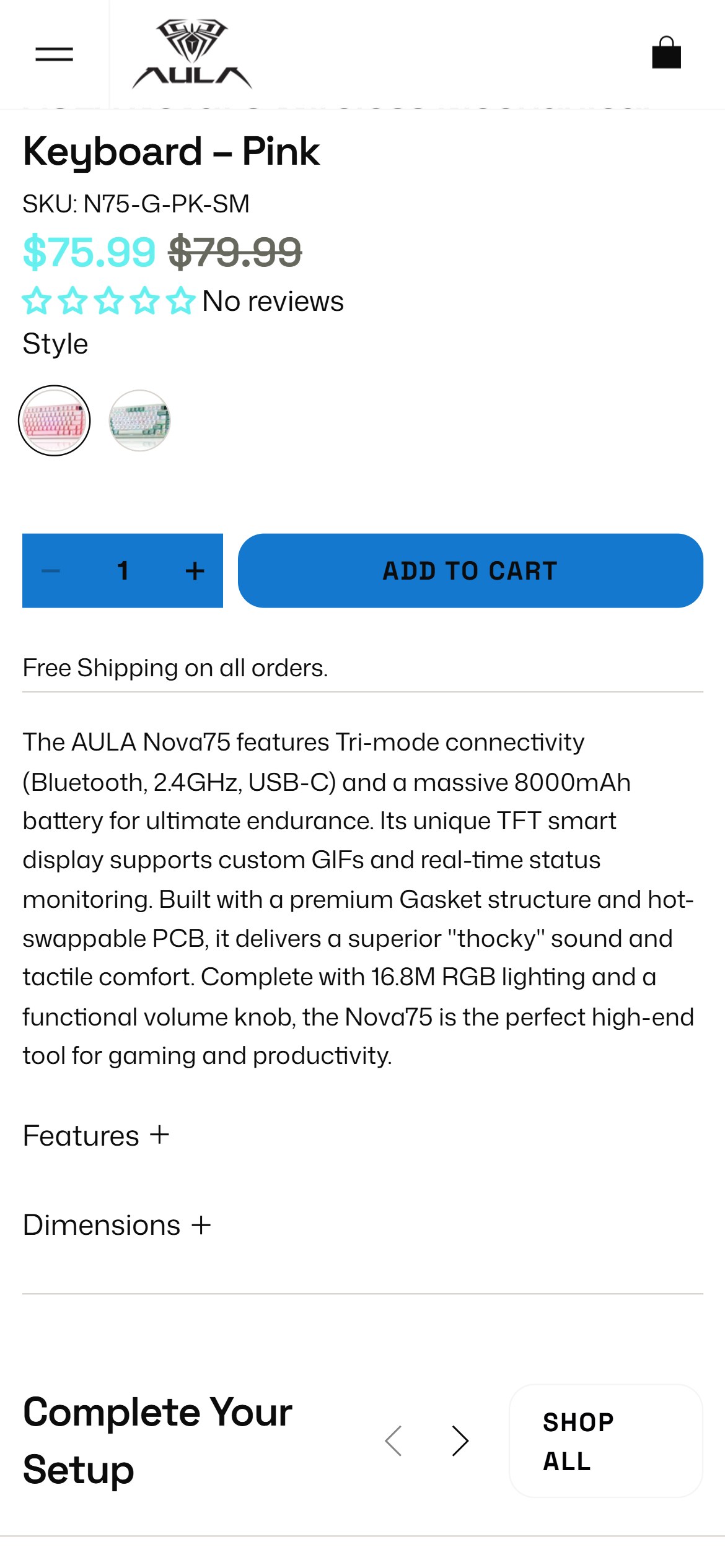
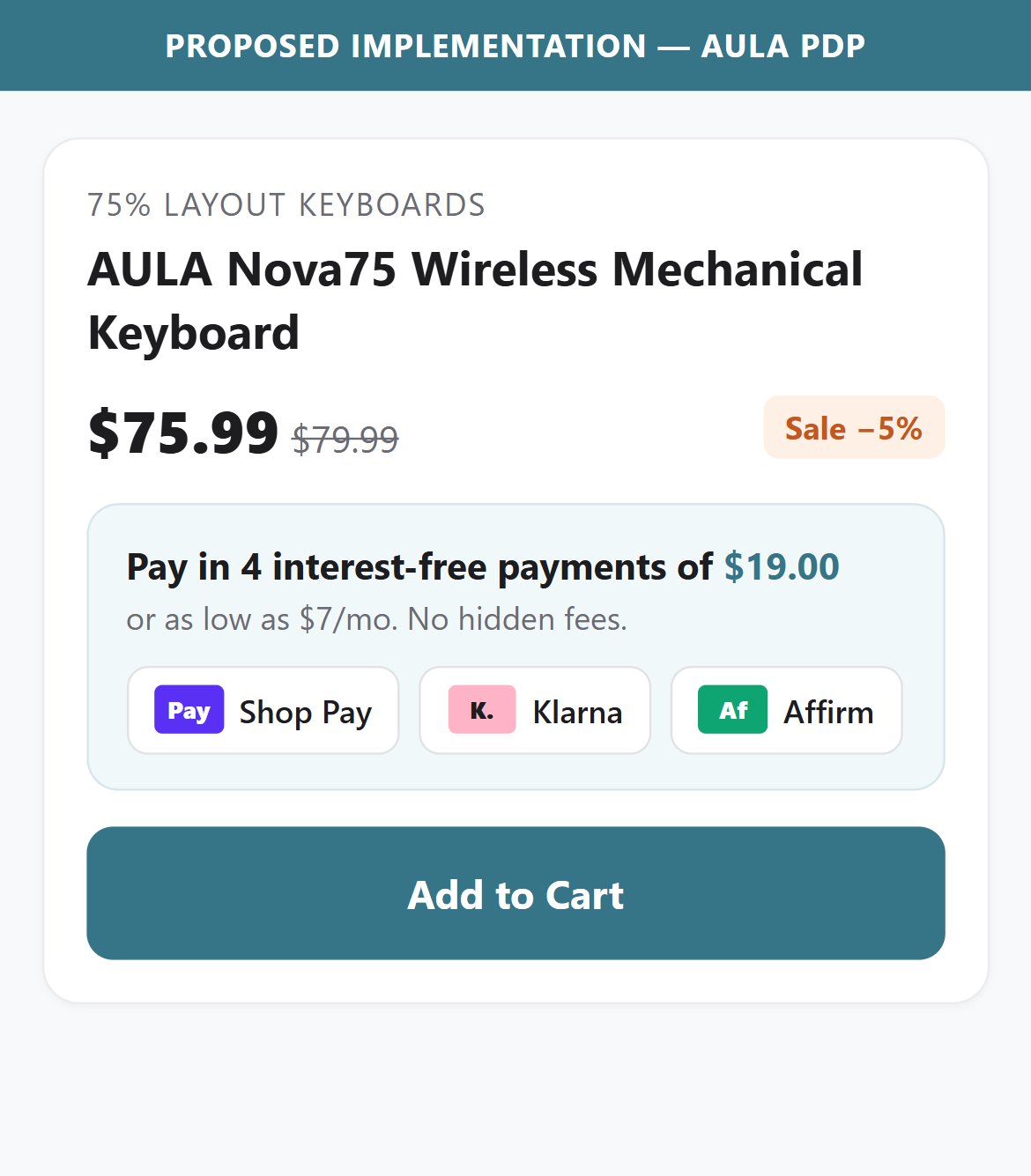
- AULA keyboard prices range from $49 to $110+ — a price range where BNPL options (Klarna, Afterpay, Sezzle) meaningfully reduce purchase hesitation for budget-conscious US shoppers.
- No installment, EMI, or BNPL messaging appears anywhere on the PDP — the purchase zone shows only price, variant selector, quantity, and the ATC button.
- US consumers are accustomed to seeing 'Pay in 4 installments of $X' messaging near product prices for electronics in this AOV range — its absence is a missed conversion opportunity.
- BNPL integrations for Shopify stores are free to install (gateway fees apply only on completed purchases) making this a low-cost, medium-effort conversion improvement.
- Install Klarna or Afterpay as a Shopify payment app and enable their on-page messaging widget — this adds a single line below the price showing 'Pay in 4 interest-free installments of $X with Klarna'.
- Ensure the BNPL messaging appears on all PDPs priced above $40, covering the full AULA keyboard range.
- Test that the BNPL option also appears in the cart and at checkout to maintain consistent messaging throughout the funnel.
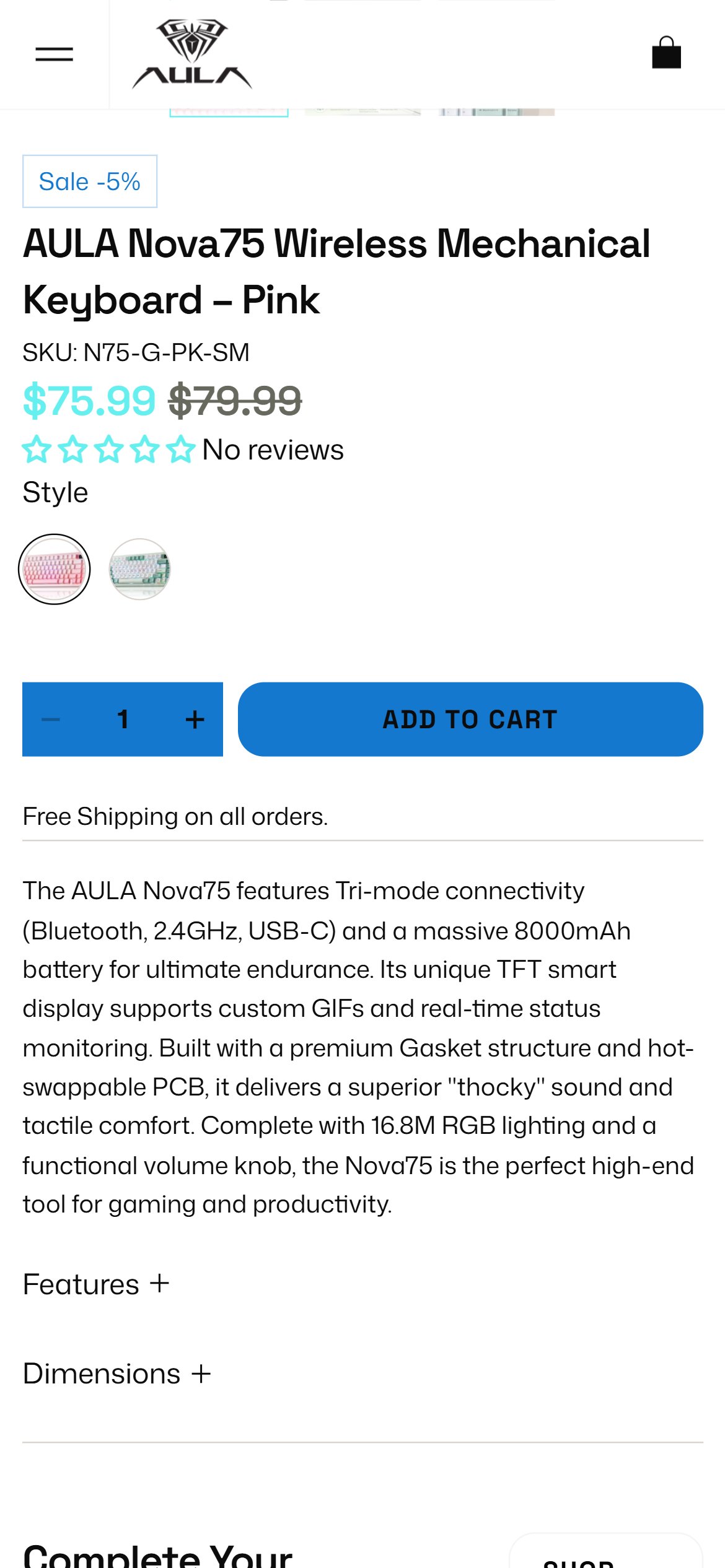
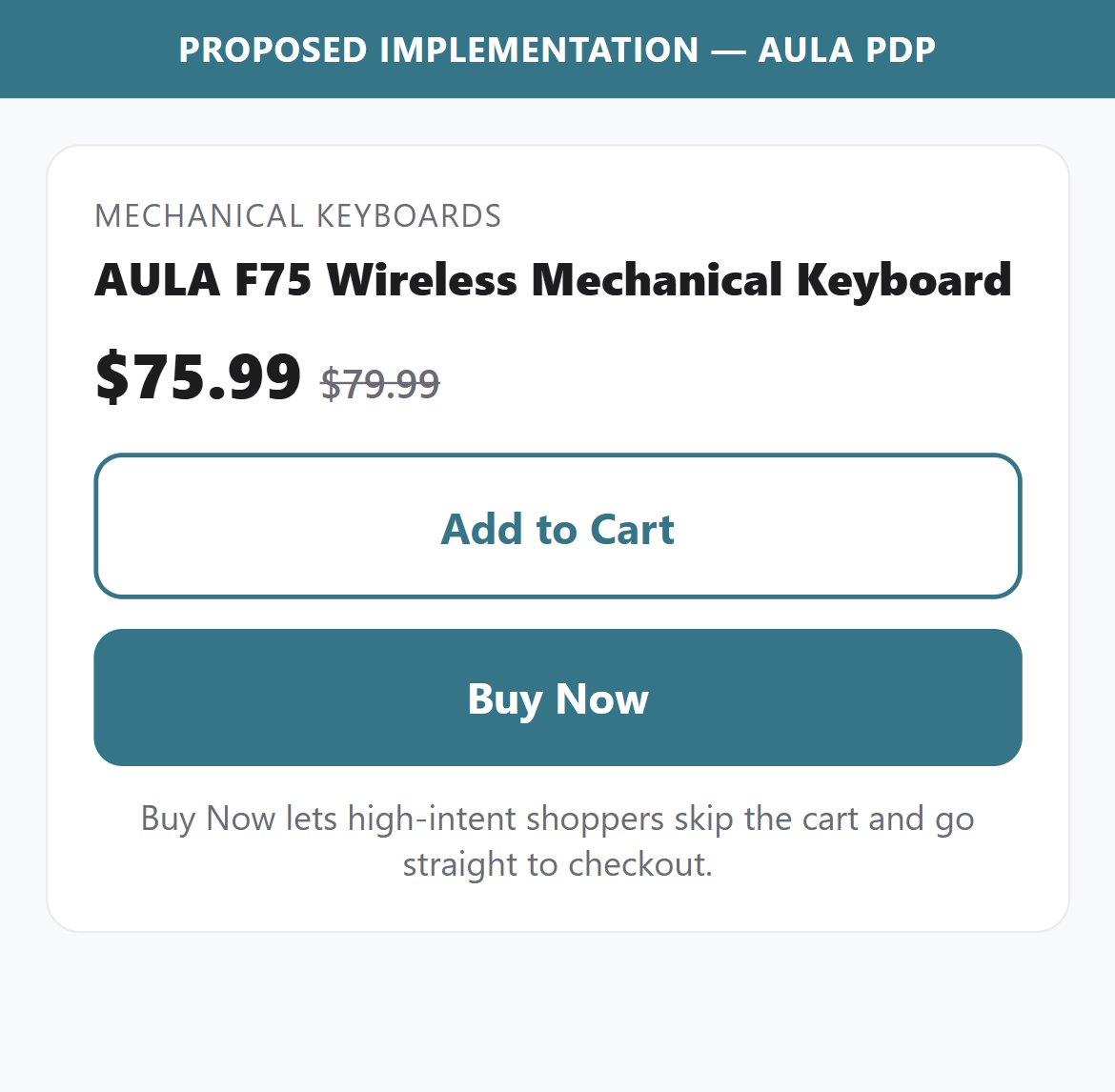
- The AULA PDP purchase zone has only a single 'ADD TO CART' button — there is no 'Buy Now' or 'Buy It Now' button that takes the user directly to checkout.
- For buyers who have already decided on a specific model and visited the PDP with intent to purchase, forcing them through the cart page adds an unnecessary step and an additional decision point where they can abandon.
- The cart page does offer Shop Pay and Google Pay express checkout — but these are only accessible after going through the cart first.
- A Buy Now button natively present on the PDP would allow direct checkout for users who don't want to browse further, reducing the funnel from PDP → Cart → Checkout to PDP → Checkout.
- Add a 'Buy Now' button positioned directly below or next to the 'Add to Cart' button on all PDPs — it should trigger the native Shopify checkout with the selected variant.
- Style the Buy Now button as a secondary action (outlined or lighter weight) to maintain Add to Cart as the primary CTA, while clearly labeling Buy Now for high-intent users.
- Ensure Buy Now respects the currently selected variant and quantity, passing those parameters directly to checkout.
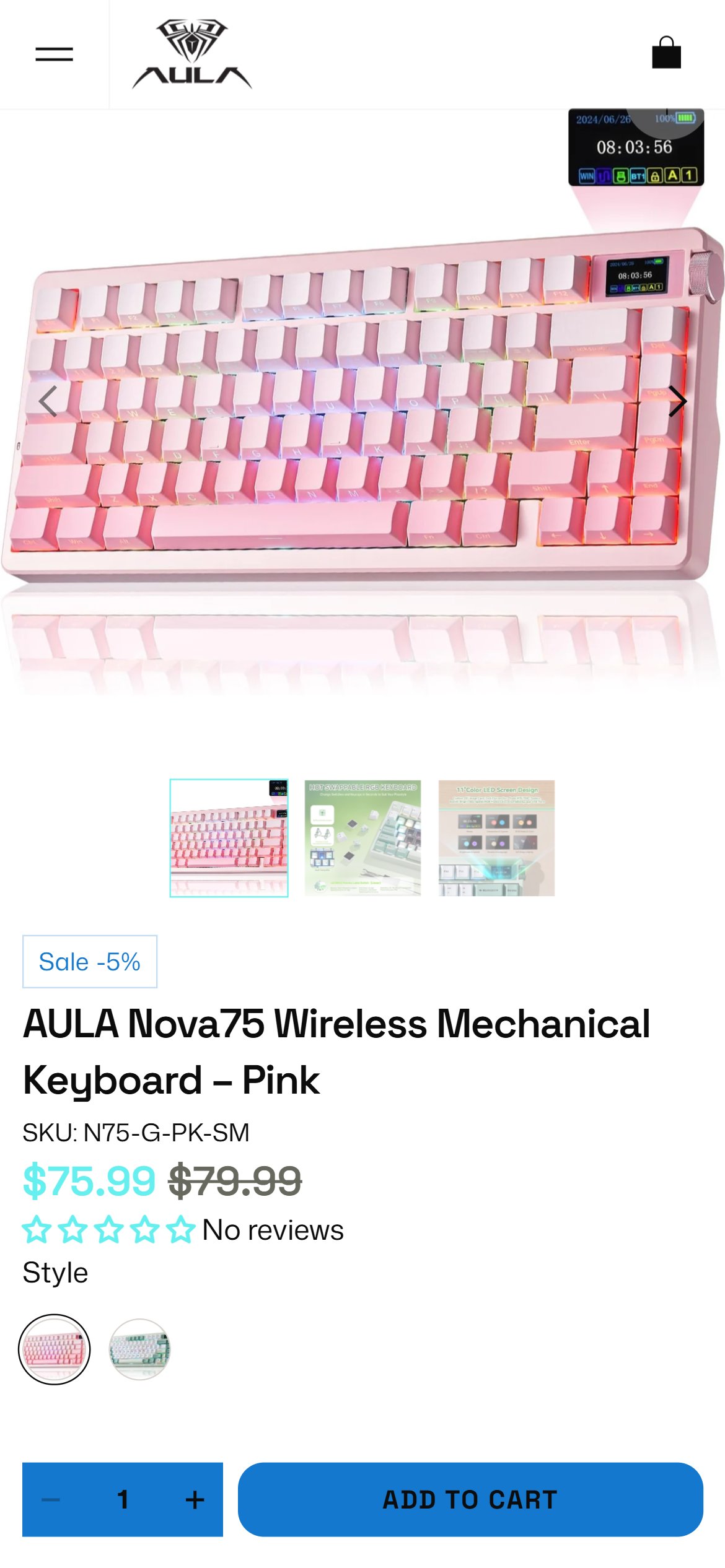
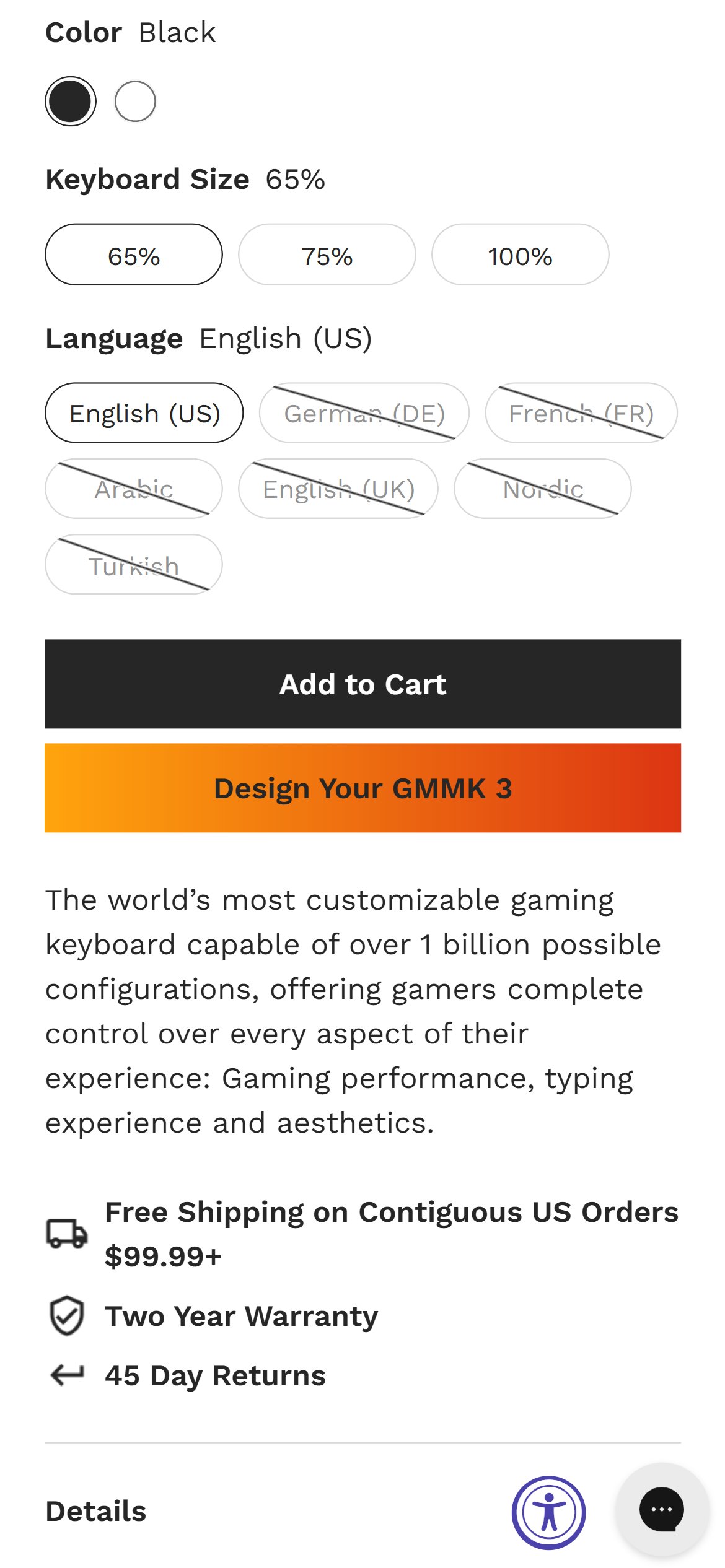
- AULA does carry 'Free Shipping', '15 Day Return Policy', and 'Secure Payment' messaging — but it appears far down the page near the footer, while the Add to Cart button sits near the top — placing these reassurances well outside the purchase decision zone.
- The only trust text near the ATC button is a plain-text line 'Free Shipping on all orders.' — present, but not visually prominent or iconographic.
- US electronics buyers making a $50–$110 purchase expect to see return policy and secure payment reassurance within the ATC zone — without scrolling past product descriptions and reviews.
- Moving trust signals closer to the purchase decision point requires a minimal layout change — adding the existing trust icon section as a block immediately below the ATC button.
- Relocate the 'Free Shipping / 15 Day Return / Secure Payment' icon row to appear directly below the ATC button on all PDPs — ideally within 200px of the button.
- Replace the plain-text 'Free Shipping on all orders.' line with the full three-icon trust block for greater visual impact and credibility.
- Consider adding payment method icons (Visa, Mastercard, Shop Pay, Google Pay) as a fourth trust signal to reinforce checkout security.
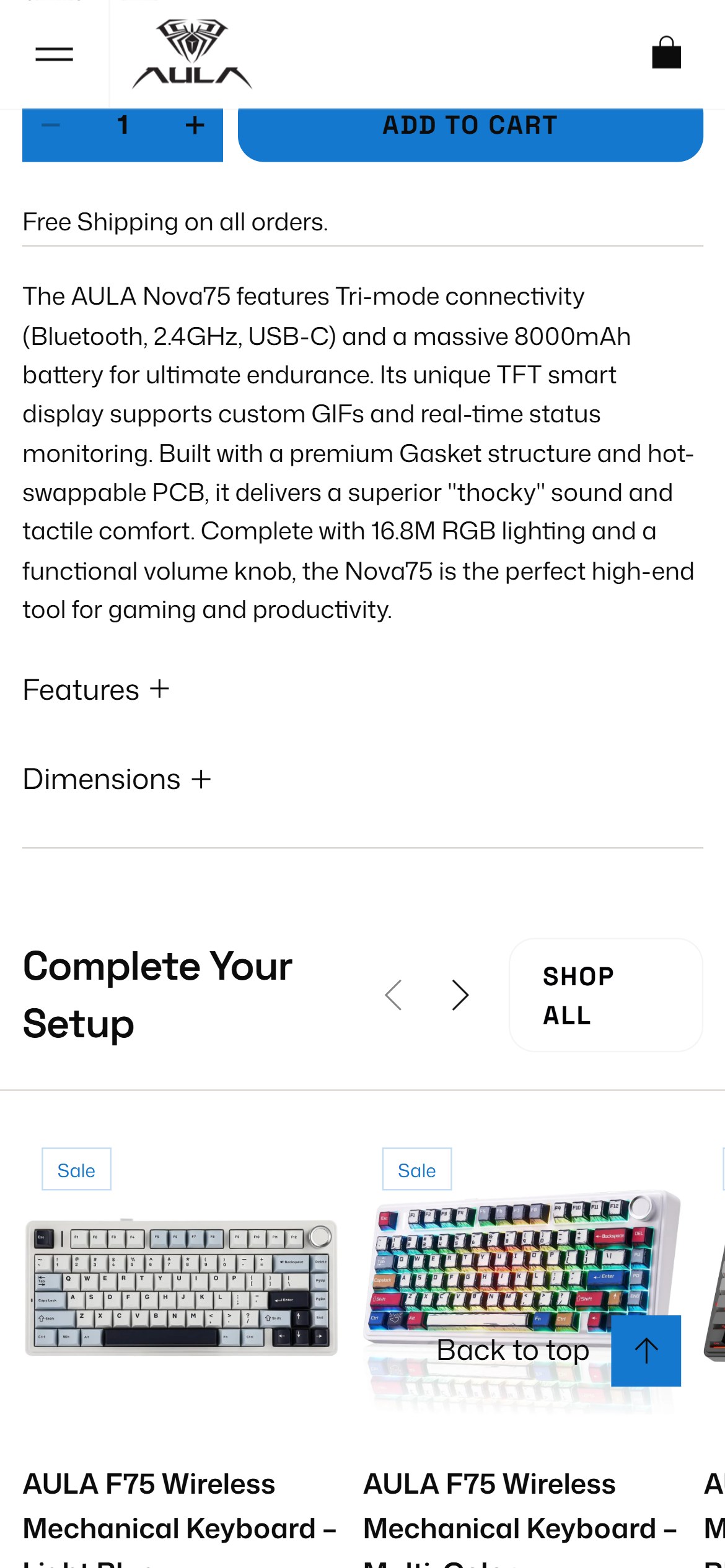
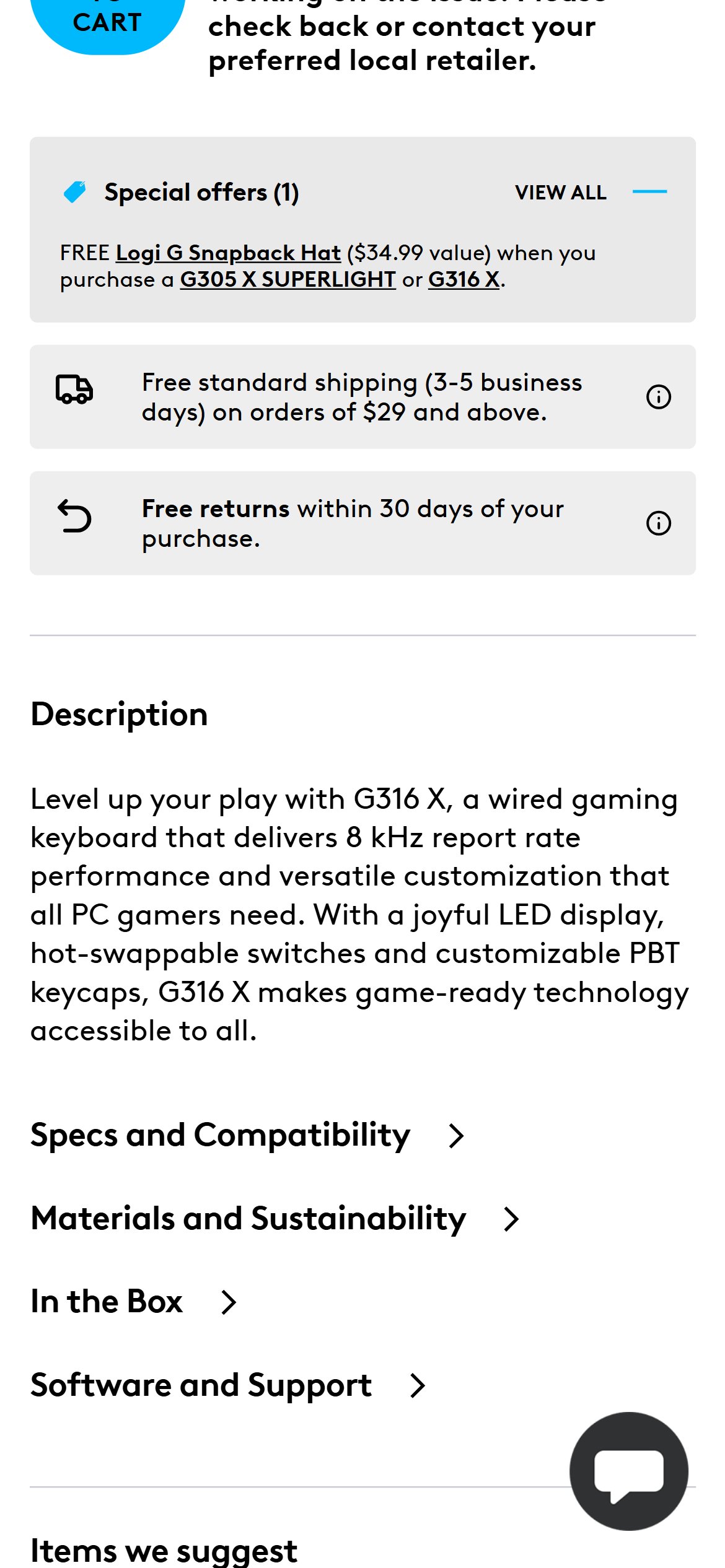
- The AULA PDP purchase zone shows no delivery estimate, shipping timeline, or dispatch window — shoppers have no indication of when their order will arrive before proceeding to checkout.
- The only shipping-related content on the PDP is the generic 'Free Shipping on all orders.' line — it confirms free shipping exists but provides no timing information.
- US consumers — especially those buying gaming keyboards as gifts or for an upcoming event — factor delivery timelines into their purchase decision. No estimate creates hesitation.
- Even a static message such as 'Ships within 1–2 business days' or 'Estimated delivery: 5–7 business days' would address this gap without requiring real-time API integration.
- Add a static delivery estimate line near the ATC button: 'Ships within 1–2 business days | Estimated delivery: 5–7 business days' with a shipping icon.
- As a future enhancement, consider a zipcode-based delivery estimate widget (like those used by major US electronics retailers) that shows personalized estimated delivery dates.
- Ensure the delivery messaging is consistent with what is shown in the cart and checkout confirmation pages.
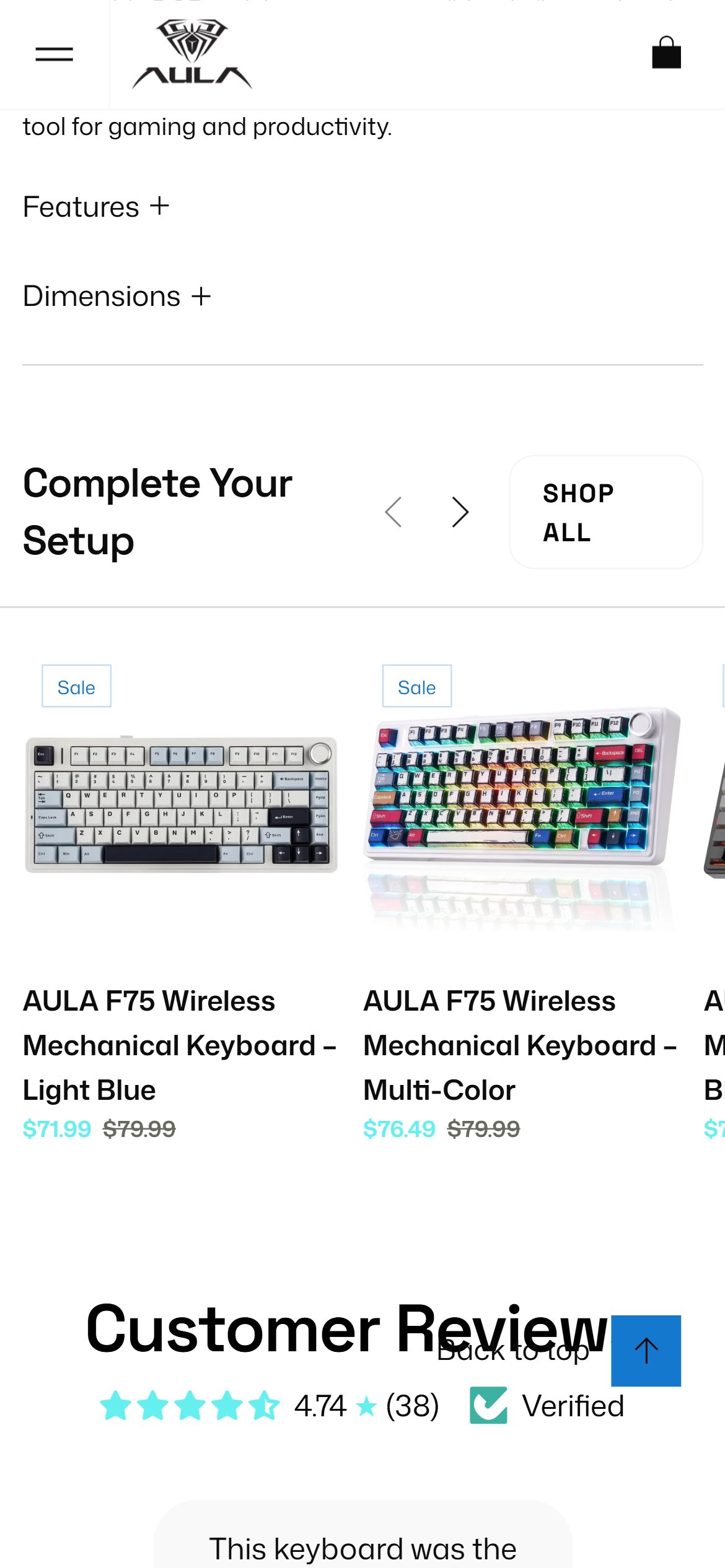
- The AULA PDP's 'Features' accordion contains 4 bullet points of marketing copy (e.g., 'Tri-mode connection with long battery life') — not a structured specifications table with labeled rows.
- The 'Dimensions' accordion shows only package dimensions ('13.98" x 7.76" x 3.36"') — no keyboard dimensions, switch type, actuation force, polling rate, or compatibility information.
- Gaming keyboard buyers comparison-shop on specific technical parameters: switch type, actuation distance, layout percentage, connectivity modes, battery capacity, polling rate — none of these appear in a scannable format.
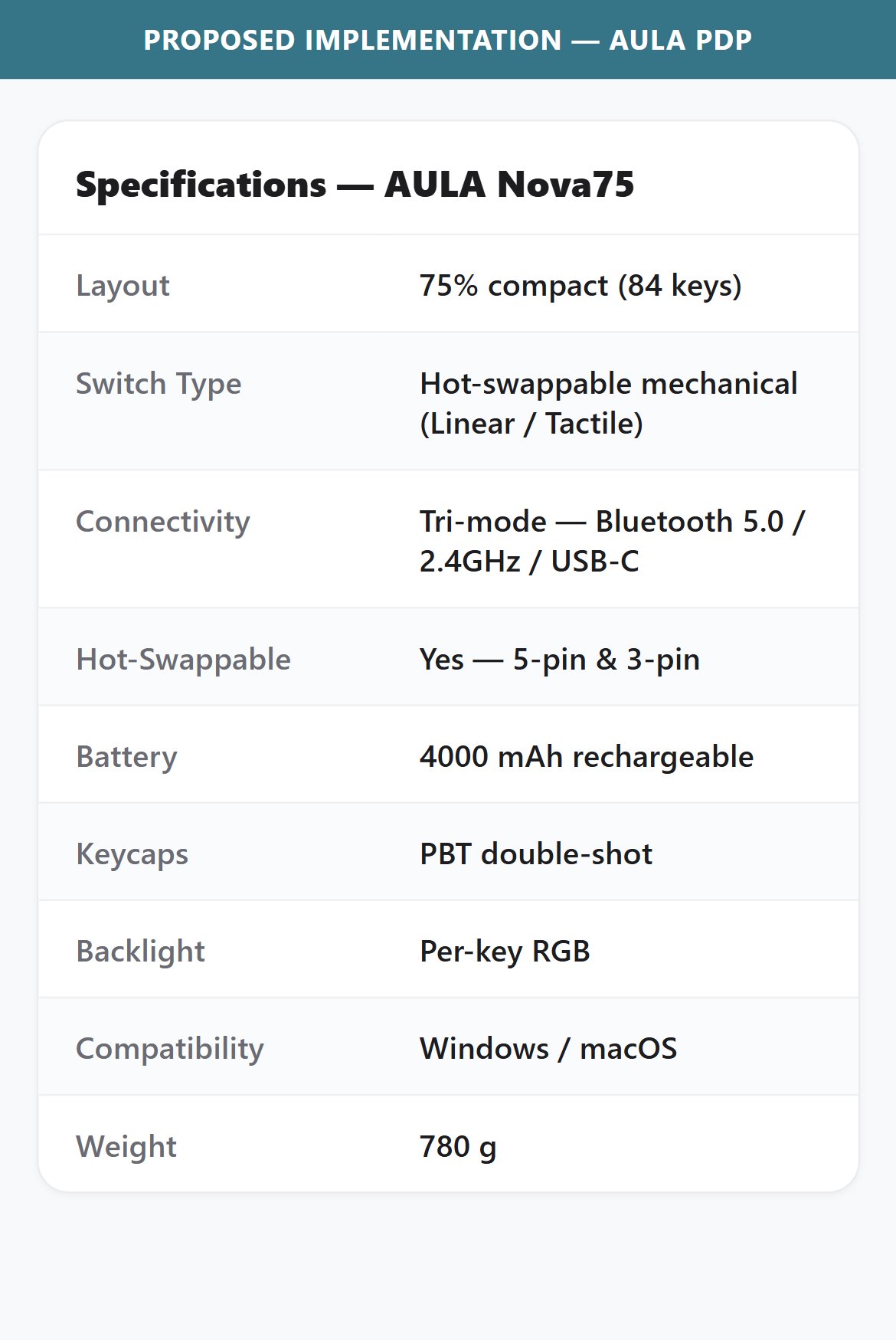
- A structured specs table (Label | Value format) allows buyers to quickly confirm a keyboard meets their technical requirements without reading marketing paragraphs.
- Create a 'Technical Specifications' section with a two-column table layout listing all key specs: Layout, Switch Type, Connectivity (Bluetooth/2.4GHz/USB-C), Battery Capacity, Polling Rate, Key Count, Dimensions, and Weight.
- Ensure specs are product-specific (not generic across all models) — the Nova75 has a TFT display and gasket mount that should be called out in the spec table.
- Place the specifications section above or alongside the Features accordion so it appears earlier in the page scroll — tech buyers scroll for specs before reading marketing copy.
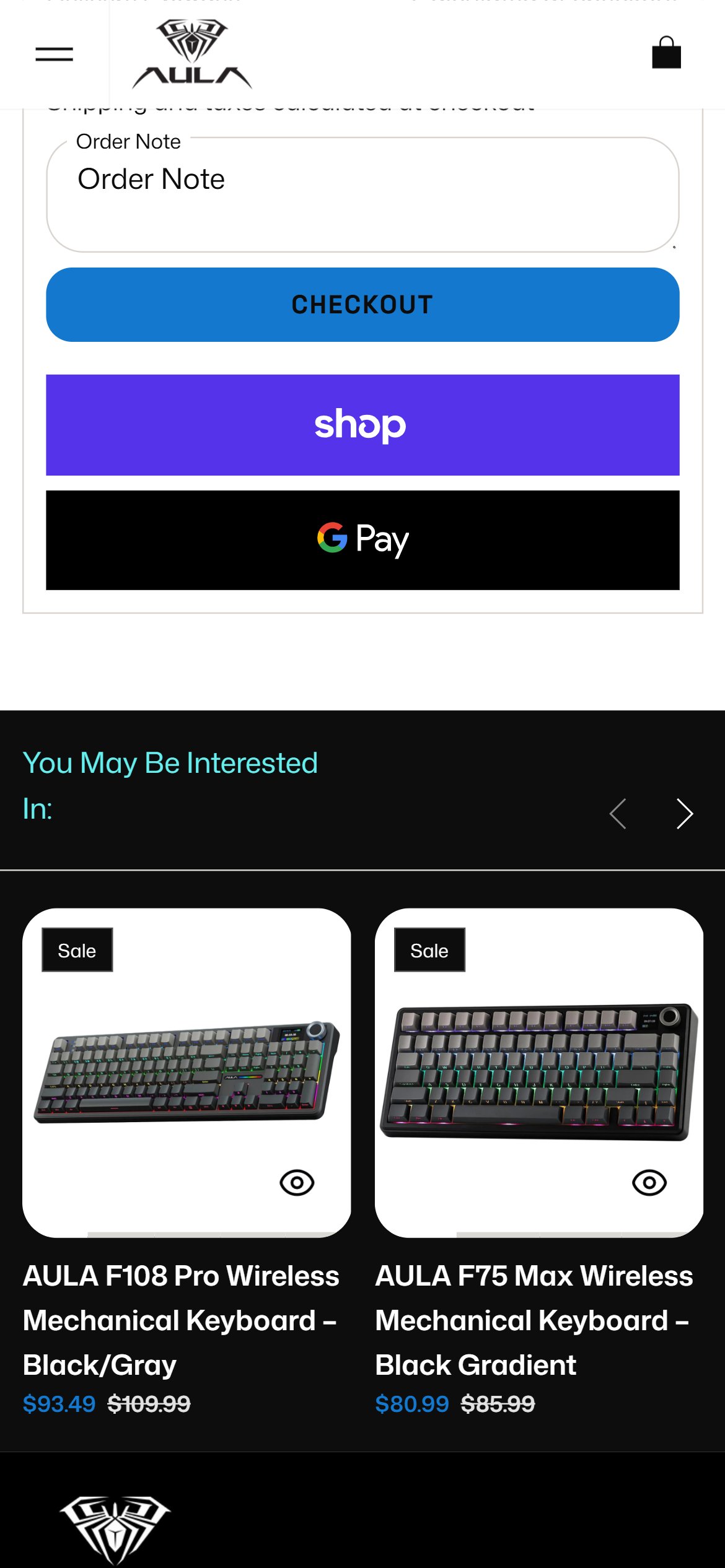
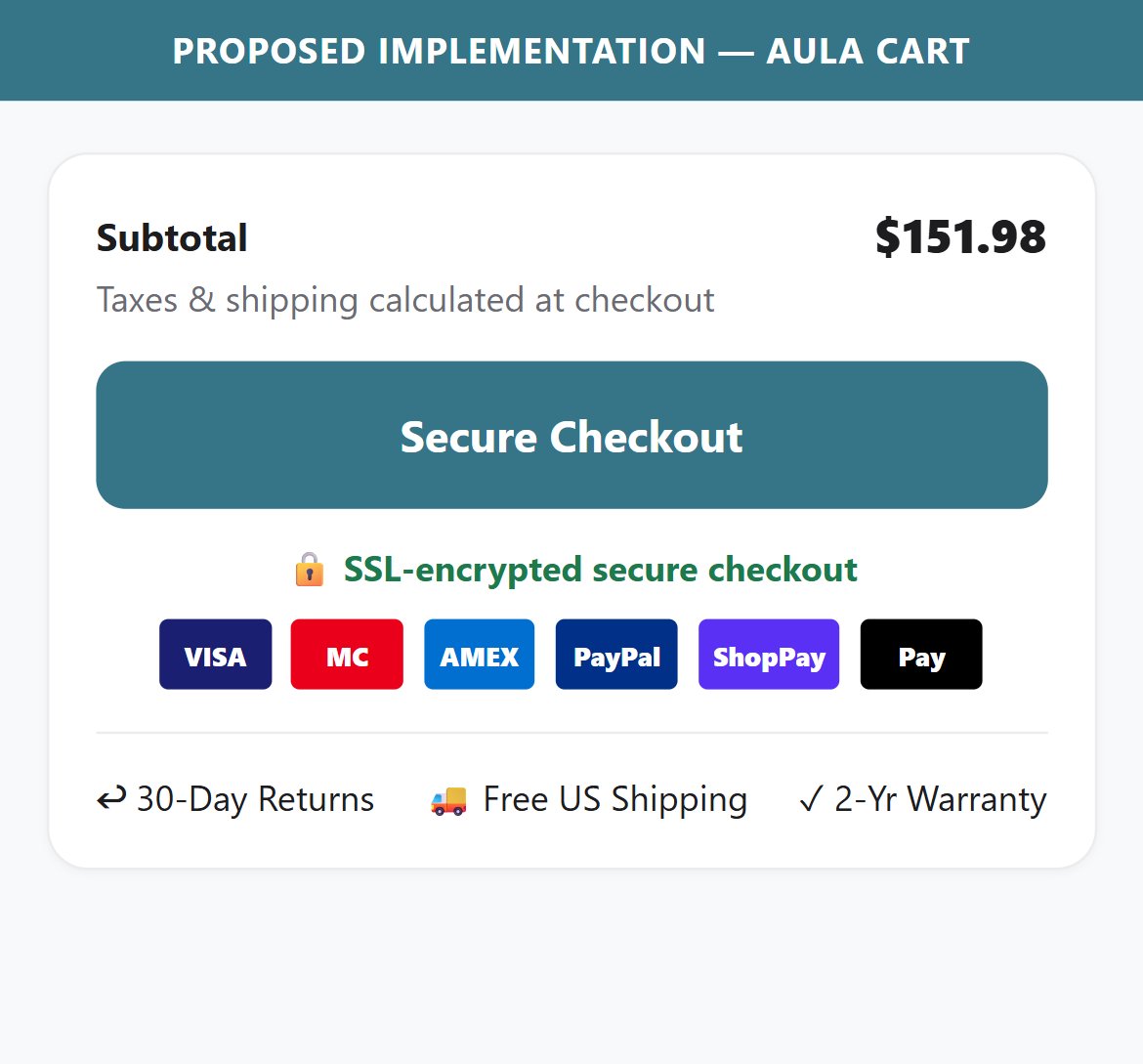
- The cart page checkout zone shows: a free shipping text line, the 'Checkout' button, and the express checkout options (Shop Pay, Google Pay) — with no payment method icons, security badge, or guarantee text anywhere nearby.
- Express checkout options (Shop Pay, Google Pay) are present and visible — but the absence of accepted payment method icons (Visa, Mastercard, Amex, PayPal) leaves shoppers uncertain about which cards are accepted.
- A 'Secure Checkout' badge or lock icon near the checkout button is a standard pattern for US e-commerce — its absence at the highest-intent moment in the funnel is a missed trust opportunity.
- The cart has a subtotal and shipping line but no reassurance about payment security or accepted methods — the first time buyers see payment options is after clicking Checkout.
- Add a row of payment method icons (Visa, Mastercard, Amex, Discover, Shop Pay, Google Pay, Apple Pay, PayPal) directly below the Checkout button.
- Add a 'Secure Checkout' badge with a lock icon alongside the payment icons to reinforce that card data is protected.
- Consider adding a brief trust tagline ('All transactions secured by Shopify Payments') to address security concerns at the point of commitment.
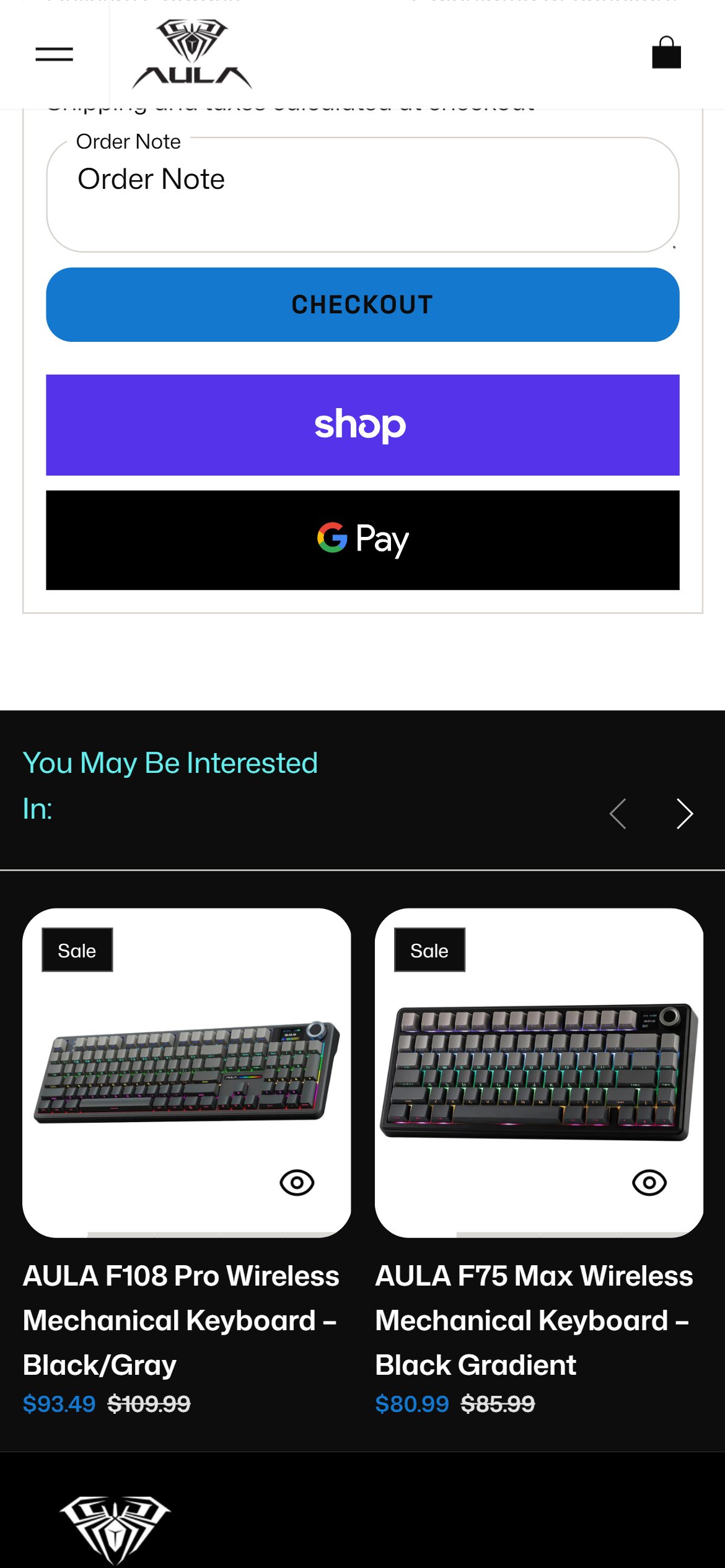
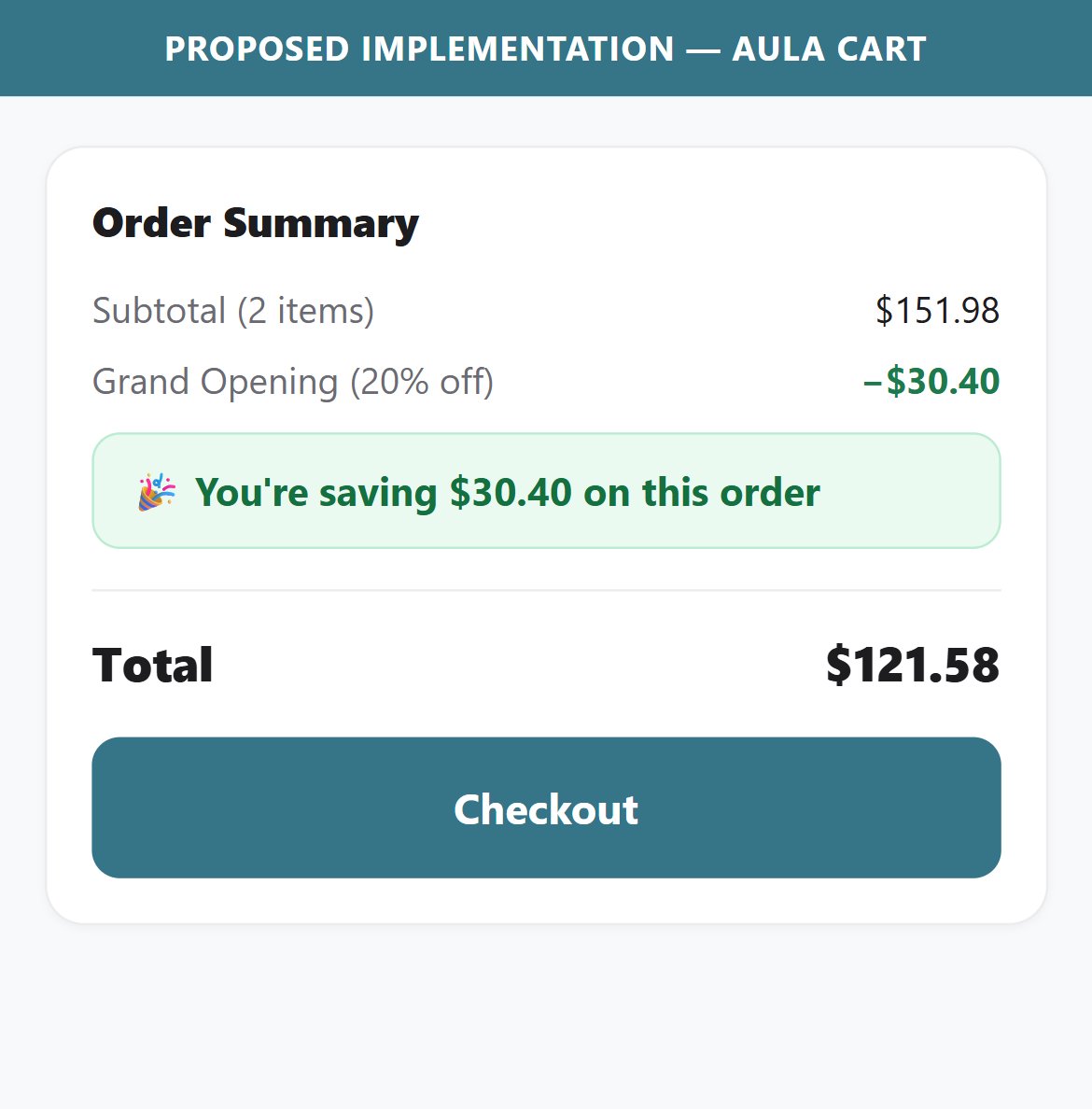
- AULA's cart shows Subtotal, Delivery Charges (Calculated at checkout), and Estimated Total — but no line showing the total discount applied relative to the original price.
- Multiple AULA keyboard PDPs have active sale prices (e.g., $75.99 sale vs $79.99 regular) — buyers who added multiple discounted items have no visibility into their total savings in the cart.
- Displaying 'You're saving $X on this order' reinforces the buyer's sense of getting a deal at the moment they are deciding whether to complete checkout.
- The absence of a savings summary also means any promotional effectiveness is invisible to the buyer — undermining the sale pricing strategy.
- Add a 'You are saving $X' or 'Total savings: $X' line in the cart order summary section, positioned between the subtotal and estimated total.
- Calculate this value dynamically as the sum of all per-item discounts (original price minus sale price for each item in cart).
- Style the savings line in green with a percentage badge to make it visually prominent — this turns the discount from a passive detail into an active conversion trigger.
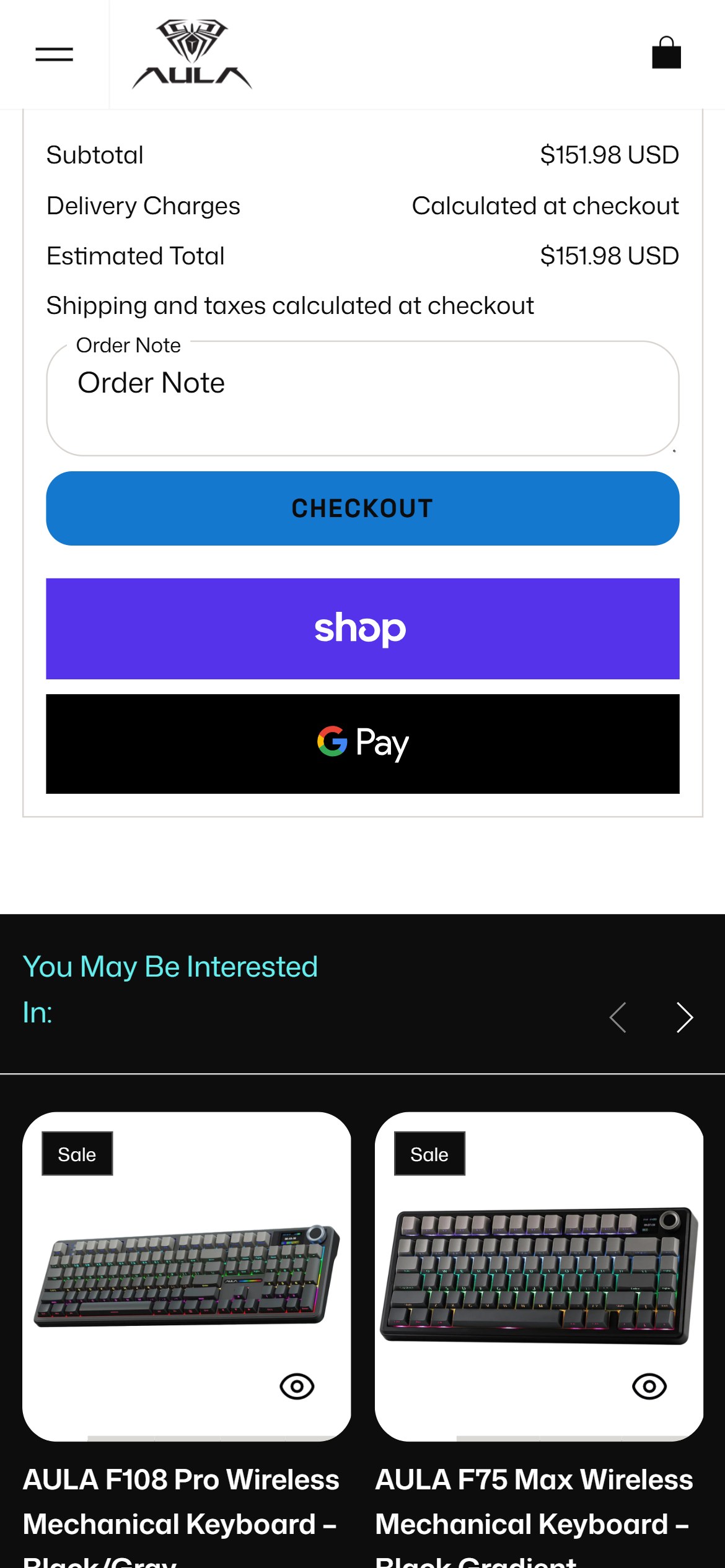
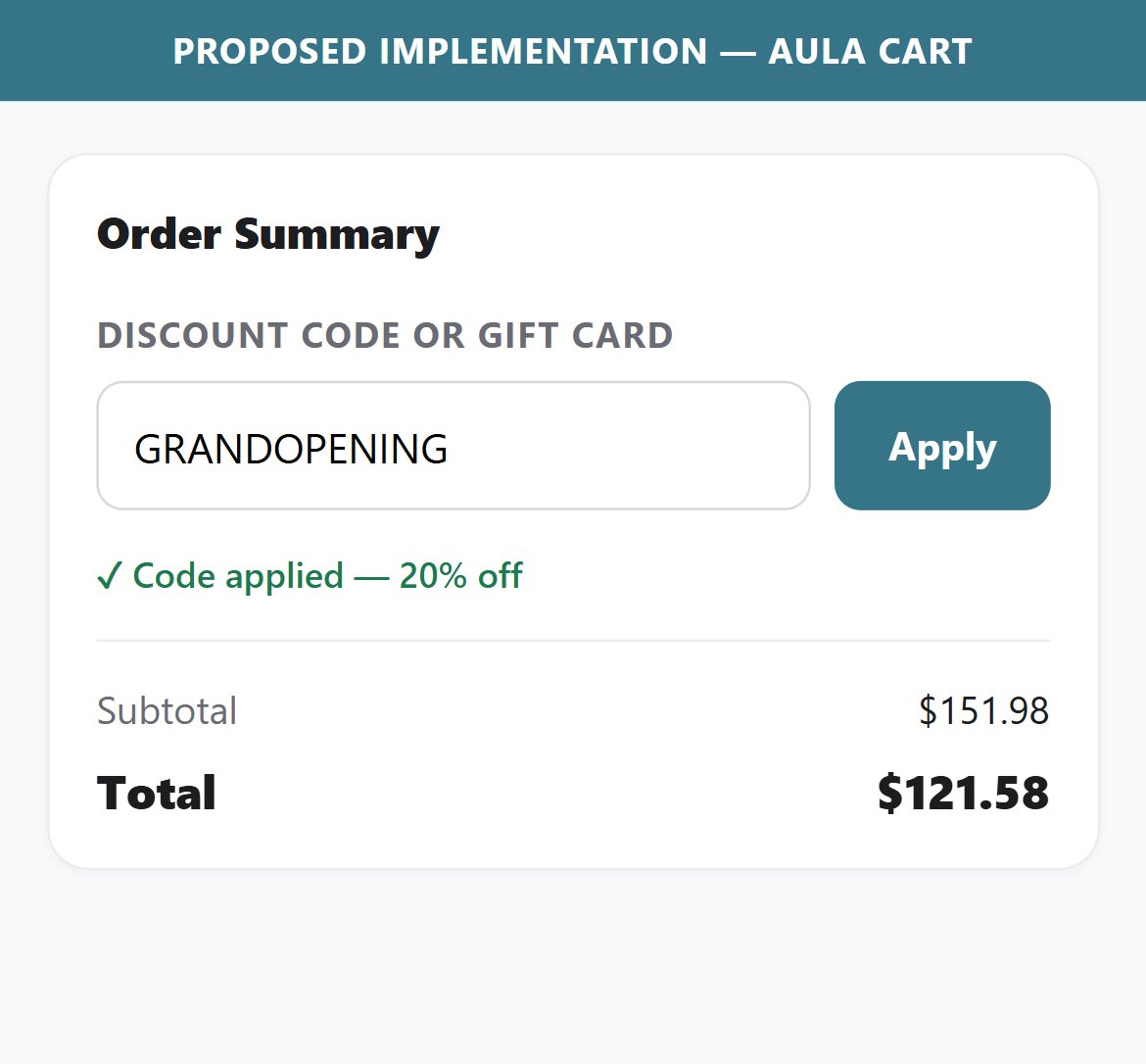
- The AULA cart page has no visible coupon or discount code input field — buyers who received a promo code from AULA's social channels or email have no way to apply it before clicking Checkout.
- The coupon field is accessible at the native Shopify checkout stage, but by then many users may have already abandoned thinking their code isn't valid.
- Visibility of a coupon field in the cart is a double-edged sword: an open field prompts code-hunting; a collapsed 'Have a promo code?' link is the best-practice middle ground.
- Competitors in the gaming peripheral category typically provide a coupon entry point in the cart order summary section.
- Add a collapsible 'Have a discount code?' link in the cart order summary — clicking it expands a text input and 'Apply' button, minimizing distraction while remaining accessible.
- Avoid displaying an open coupon field by default as this prompts buyers to leave the cart to search for codes, increasing abandonment risk.
- Ensure any applied discount is reflected in the Total Savings line (cart_f2) for a consistent order summary experience.
App Ecosystem
What's installed vs what's missing from best-in-class Electronics — Gaming Peripherals stores
Present (3)
Missing (6)
App Stack Assessment
AULA's app stack is intentionally lean today: Judge.me for reviews and Shop Pay for express checkout sit on a clean Shopify base. The biggest near-term opportunities are additive — capturing visitor emails before launch traffic arrives, growing AOV with cart/PDP cross-sell (a natural fit for a peripherals catalog), and making the multi-SKU catalog easier to search and filter. Each maps directly to a conversion gap identified in this audit.
Confidential — Prepared for AULA by Growisto | June 2026